ANKER AeroClip 2 is engineered to deliver clear, balanced audio in a comfortable open-ear design. That said, sound is highly personal, and your listening experience may vary depending on your hearing preferences, music genre, listening habits, and surrounding environment.
Because of the open-ear structure, low-frequency performance may also feel less pronounced than on in-ear headphones, which create a tighter acoustic seal.
If you experience any of the following situations:
-
The bass sounds weak
-
The sound quality seems poor or unclear
-
The sound from the left and right earbuds is unbalanced
-
Noise, static, or a slight buzzing sound
These issues may be related to settings, the listening environment, or how the earbuds are being used. Please refer to the information below for troubleshooting steps.
1. If the bass sounds weak, please try the following:
a. Share the Audio Source: Let us know the name of the song where you notice weak bass so we can investigate the issue.
b. Adjust the EQ: Open the soundcore app, go to "HearID," and increase the low-frequency level to boost the bass.
2. If the sound quality seems poor or unclear, please try the following:
a. Share the Audio Source: Let us know the name of the song where you notice the issue, along with a description of the problem, so we can investigate.
b. Adjust the EQ: Open the soundcore app, go to ‘’HearID”, and select a sound preset you prefer, or adjust the sound under HearID > Custom.
If the sound quality still doesn't meet your expectations after adjusting the EQ, please provide your earbuds' serial number (SN). We'll send you a firmware update if a sound quality improvement becomes available.
3. If the sound from the left and right earbuds is unbalanced, please try the following:
a. Check the Wearing Direction: Make sure the earbuds are not worn backward. The buttons should sit at the upper rear of your ear.
b. Adjust the Wearing Position: Make sure the sound outlets on both earbuds are positioned as close as possible to the lower part of your ear canal openings. If the sound outlets are not aligned with your ear canals, the volume may sound different on each side.
c. Check Your Phone's Audio Balance Settings: Make sure your phone's audio balance is set to the default centered position. If you have different hearing sensitivity between your ears, you can also adjust this setting to compensate.
d. Check for a Blocked Microphone: The microphone is located near where the battery housing connects to the C-shaped bridge. If it is blocked by dust or debris, clean it and try again.
e. Reset the Earbuds: Remove the earbuds from the charging case. Press and hold the left and right buttons simultaneously for 6 seconds to power them off, then release. Press and hold both buttons again for 10 seconds to reset the earbuds. The earbuds must be powered off before they can be reset, so these steps must be performed separately.
4. If you hear noise, static, or a slight buzzing sound, please try the following:
a. Check the Audio Source: Play the same content through your phone's speaker to determine whether the noise is present in the source audio.
b. Check for Noise During Calls: If you hear noise during calls, try calling a different contact to determine whether the issue is related to the other caller's device or connection.
c. Try a Different Test Environment: Test the earbuds in a different location to rule out environmental interference.
d. Reset the Earbuds:
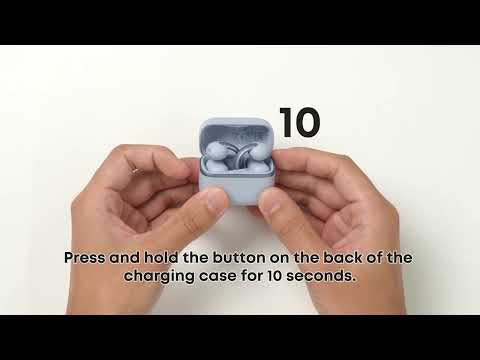
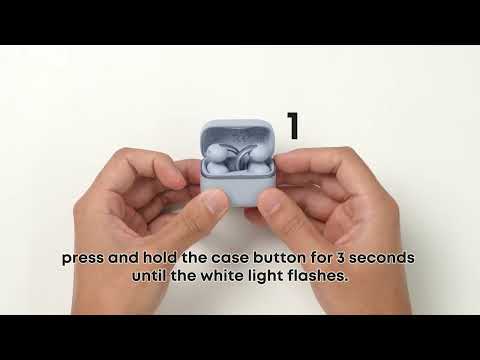
Method 1: Place the earbuds in the charging case, and keep the lid open. Press and hold the case button for more than 10 seconds until the indicator flashes red three times rapidly. This indicates that the factory reset is complete.
Method 2: Remove the earbuds from the charging case. Press and hold the left and right buttons simultaneously for 6 seconds to turn the earbuds off, then release the buttons. Press and hold both buttons again for 10 seconds to complete the reset.
Note: You must turn off the earbuds before resetting them. This requires two separate press-and-hold actions: first, press and hold for 6 seconds to turn off the earbuds, then press and hold again for 10 seconds to complete the reset.
It normal to hear a slight buzzing or static sound from the earbuds
Bluetooth earbuds may produce a slight buzzing or static sound when no audio is playing. This is normal background electronic noise caused by signal processing. It is common with Bluetooth devices and cannot be completely eliminated. You can check whether this noise is still noticeable while playing music or videos. It typically becomes inaudible once audio is playing.
If you encounter any other issues or your issue has not been resolved, please contact us for further assistance.