ANKER AeroClip 2 is designed to deliver a stable and seamless listening experience.
If you notice interruptions during playback, audio delay, or sound playing from your phone instead of the earbuds, the issue may be related to connection settings, codec selection, device compatibility, or the surrounding wireless environment.
Please refer to the following information for common audio playback situations and troubleshooting steps.
1. If you experience poor sound quality, stuttering, or no sound, please try the following:
a. Gaming and Calling at the Same Time: Call quality may decrease when you play games and take calls at the same time. We recommend avoiding this situation.
b. Audio Codec: LDAC is less resistant to interference and is more prone to stuttering or disconnection in signal-heavy environments.Try switching to a different audio codec, such as AAC or SBC.
c. Volume Too High: Some phones have higher audio output levels. If the earbud volume is set too high, it may cause distorted vocals or excessive noise. Try lowering the volume slightly.
d. Network and Environmental Interference: A weak network signal or significant environmental interference can also affect sound quality. Try switching networks or moving the earbuds and device to a different environment.
e. Firmware and Software Versions: Outdated earbud firmware, calling app versions, or device software can also affect sound quality. Ensure all three are updated to the latest versions.
2. If you experience audio delay, please try the following:
Bluetooth technology naturally has some latency. These earbuds are not specifically designed for gaming, so there may be a slight delay, approximately 200 milliseconds with the SBC codec or 300 milliseconds with AAC. This should not affect everyday use.
If the delay is noticeable, try switching audio codecs or checking the surrounding wireless environment. Too many nearby Bluetooth or Wi-Fi signals may increase latency, so try moving away from potential sources of interference when possible.
3. If audio is playing from your phone's speaker instead of the earbuds, please try the following:
For iPhone Users: If you open the Emergency SOS / Power Off screen and then return to your music player, sound may play from your phone's speaker instead of the earbuds. This is a known system-level behavior. Try the following:
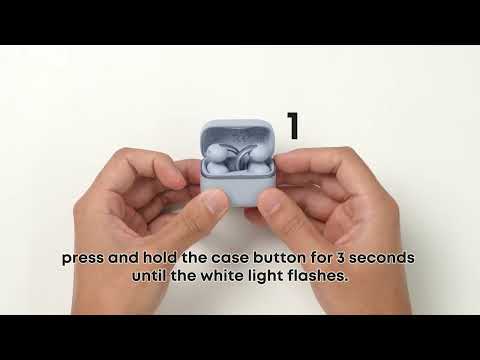
a. Turn your phone's Bluetooth off and back on to reconnect.
b. Place the earbuds back in the charging case, close the case, wait a moment, then put the earbuds back on.
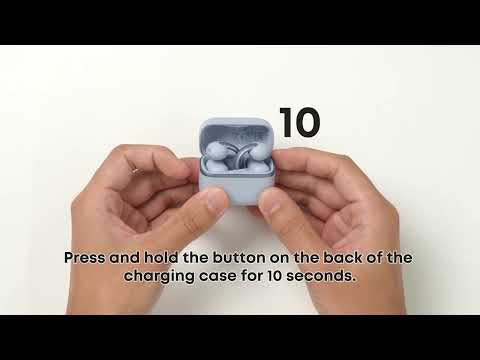
c. If the issue persists, reset the earbuds to factory settings and pair them again.
Please note that even when your phone is connected to the earbuds, alarm sounds will play from your phone's speaker by default. Whether incoming call ringtones play through the earbuds depends on whether your phone is set to ring mode.
If you encounter any other issues or your issue has not been resolved, please contact us for further assistance.