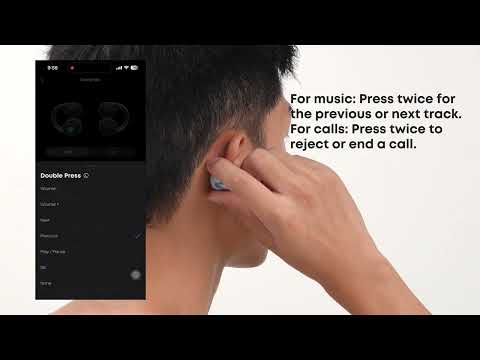
The soundcore app allows you to access more features on your ANKER AeroClip 2.
If you are connecting the earbuds to the app for the first time, cannot find the earbuds in the app, or experience issues with the app opening or connecting properly, please refer to the information below for guidance and troubleshooting steps.
1. How to Connect the Earbuds to the App for the First Time
If you're a new user, download the latest version of the soundcore app (v4.0.1 or later) from the App Store or Google Play, then tap "Add Device" and select "ANKER AeroClip 2" to connect.
If you already have the soundcore app installed, update the app to v4.0.10 or later, then select "ANKER AeroClip 2" from the device list to connect.
If your earbuds show as connected via Bluetooth but will not connect in the soundcore app, this may occur in earlier versions of the app. Update to v4.0.10 or later via the App Store or Google Play. After updating, you should be able to connect to ANKER AeroClip 2 successfully.
2. soundcore App Won't Open Properly
Please try the following:
a. Check the Dual-Device Connection: When the earbuds are connected to two devices at the same time, the soundcore app can connect to only one device at a time. Check whether the app is open or running in the background on both devices. If so, close the app on one device, including from your recent apps, and then reconnect on the device you want to use.
b. Reinstall the App: If the app still won't open properly, uninstall it, then download and install the latest version of the soundcore app. Do not install it directly over the existing version.
c. Check the Call Status (for iPhone): If you're using an iPhone, the app may not connect properly during an active call. End the call first, then reopen the app and try connecting again.
3. Cannot Find the Earbuds in the App
-
If you can't find your earbuds in the app, first uninstall the soundcore app.
-
Then download and install the latest version of the app, and add your earbuds again.
-
Do not install it directly over the existing version.
If you encounter any other issues or your issue has not been resolved, please contact us for further assistance.