ANKER AeroClip 2 uses Bluetooth 6.0 and supports SBC, AAC, and LDAC Bluetooth codecs. Bluetooth connection stability can occasionally be affected by your surroundings. For the best experience, keep the earbuds close to your device and avoid obstacles, such as walls, between them.
If you experience any of the following issues while using your earbuds:
• The earbuds cannot be found when searching for Bluetooth devices.
• The earbuds do not reconnect automatically.
• The earbuds remain connected after being placed back in the charging case.
• Issues with dual-device connection.
• Connection stability issue.
Please try the steps below.
1. If your phone cannot find the earbuds when searching for Bluetooth devices, try the following:
a. Check whether the earbuds are in pairing mode. For first-time use, open the charging case, remove the insulating film, place the earbuds back in the case, then take them out again. The earbuds will automatically enter pairing mode, and a confirmation tone will play once pairing is successful.
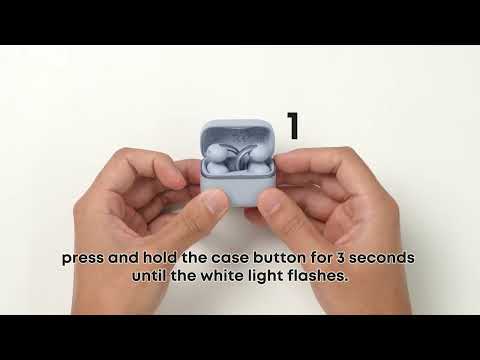
b. If the earbuds do not automatically enter pairing mode, try manual pairing. Place the earbuds back in the case and keep the lid open, then press and hold the case button for more than three seconds. When the charging case indicator flashes white quickly, the earbuds are in pairing mode.
c. If the issue persists, delete the “ANKER AeroClip 2” pairing record from your phone, reset the earbuds to factory settings, then search for and connect to them again.
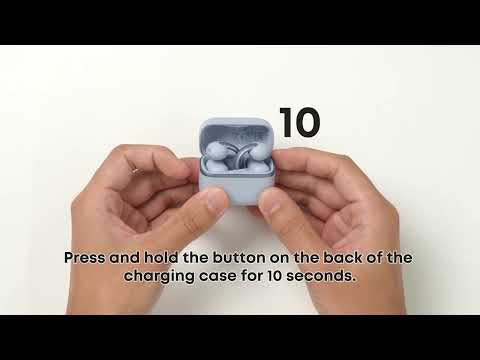
Factory Reset: Place the earbuds back in the charging case and keep the lid open. Press and hold the case button for more than 10 seconds until the charging case indicator flashes red quickly three times. This means the factory reset was successful.
2. The earbuds will automatically reconnect to the most recently connected device within 10 seconds after powering on.
If they disconnect because they are out of range, they can automatically reconnect within 10 minutes. During this time, make sure Bluetooth is turned on for the device you want to connect to, and keep the earbuds close to the device.
If they still do not reconnect after this time, try the following:
a. Turn the earbuds off and on again, then reconnect.
b. Tap the earbuds’ name in your device’s Bluetooth list to start the connection.
c. In the soundcore app on the currently connected device, select the previously paired device you want the earbuds to reconnect to.
d. Clear the Bluetooth pairing record on your device. Put the earbuds back into pairing mode by placing them in the charging case with the lid open, then press and hold the charging case button for more than three seconds. Reconnect the earbuds.
e. Restore the earbuds to factory settings and pair them again.
We also recommend reducing the distance between the earbuds and your device and avoiding obstacles, such as walls, between them.
3. If your earbuds remain connected after being placed back in the charging case, try the following:
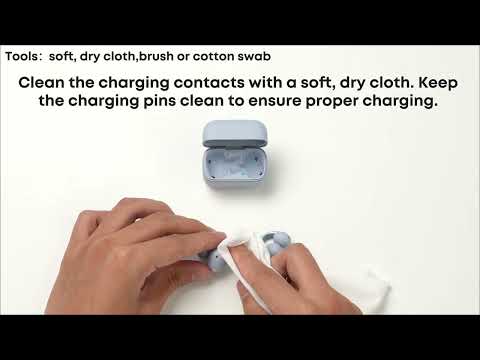
a. Check whether there is any dirt or residue on the charging contacts on the earbuds or inside the charging case. If so, gently clean them with rubbing alcohol and a cotton swab.
b. Check the battery levels of both the charging case and the earbuds to see if a fully depleted battery is causing the issue. Charge the case for a while, then place the earbuds back in the case and check the connection status again.
4. Dual-device connection
Dual-device connection cannot be enabled during a call or online meeting. End the call or meeting first, then try again.
5. If you usually keep your phone in your pocket, we recommend positioning it so the antenna side faces the earbuds.
On most phones, the antenna is located near the top of the device, but check your specific phone model to confirm. Avoid positioning the antenna toward your body or the ground, as this may help maintain a more stable connection.
If you encounter any other issues or your issue has not been resolved, please contact us for further assistance.