Proper charging helps keep your earbuds performing at their best. Follow the steps below to charge your ANKER AeroClip 2.
-
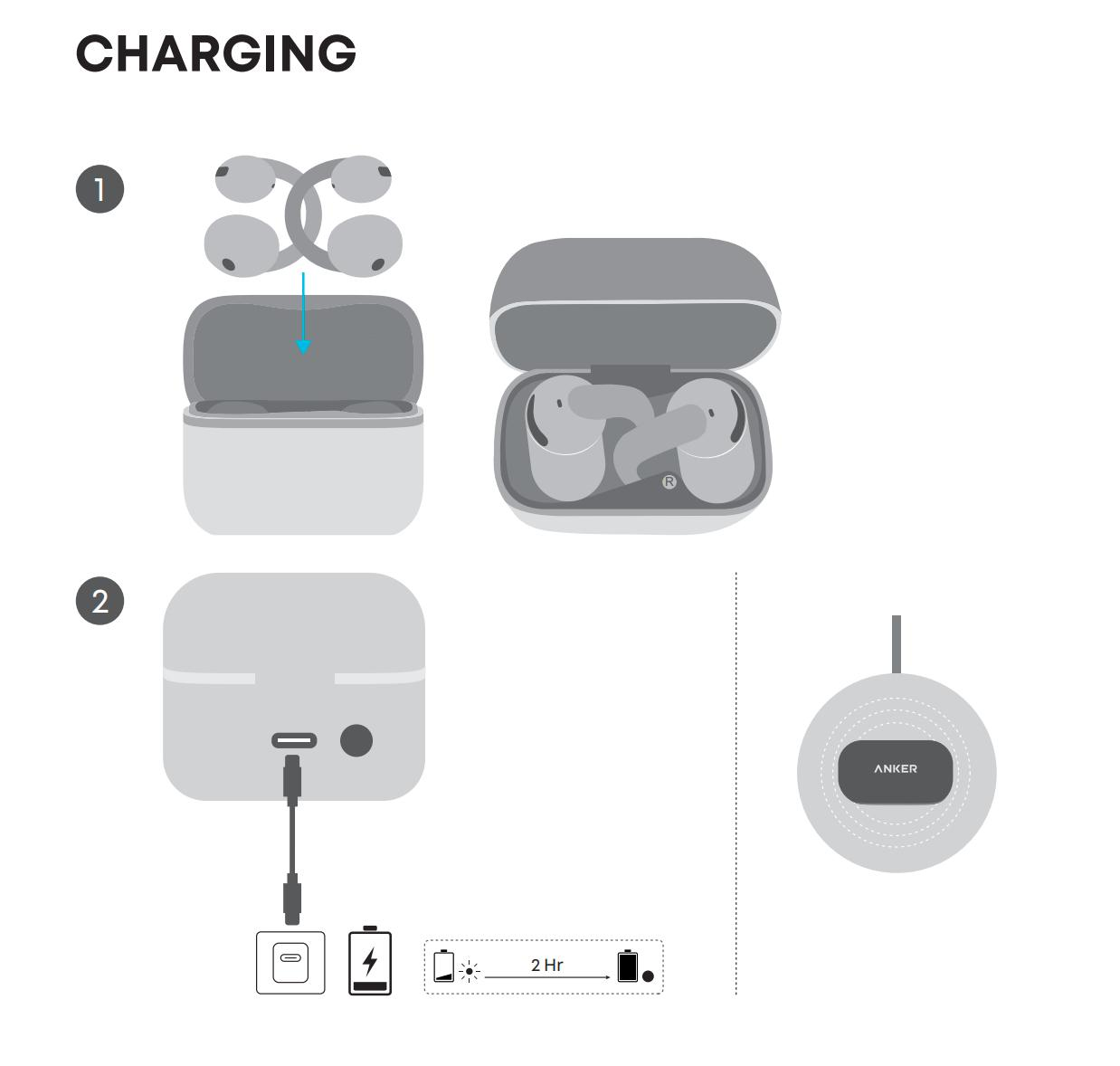
Place the earbuds into the charging case and close the lid.
-
Before charging, make sure the earbuds and USB-charging port are completely dry.
-
Align the charging contacts on each earbud with the corresponding contacts inside the charging case.
-
Connect the charging case to a power source using the included USB-C to USB-C charging cable.
Note: For wireless charging, place the charging case vertically on a compatible wireless charger and align it with the center of the charger.
If the earbuds won't charge, try the following:
1. Make sure the charging port on the case and the charging cable connector are clean and free of debris.
2. Try a different charging cable. We recommend using the original cable included in the box. If you're already using it, try another cable.
3. Check whether your power adapter's output current is sufficient. It should be greater than the input current listed on the charging case.
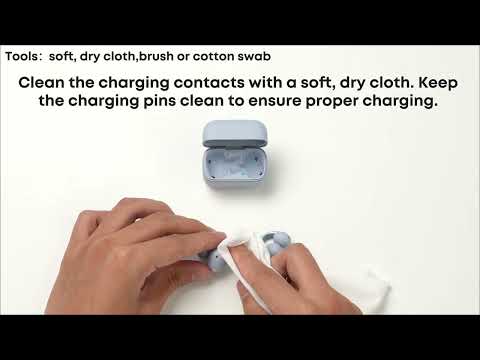
4. Check the charging pins in the case for any debris, and clean them if needed.
5. Check whether the charging pins in the case are recessed.
6. Check the earbuds' charging pins for any dirt or residue. You can clean them with rubbing alcohol if needed.
If you encounter any other issues or your issue has not been resolved, please contact us for further assistance.