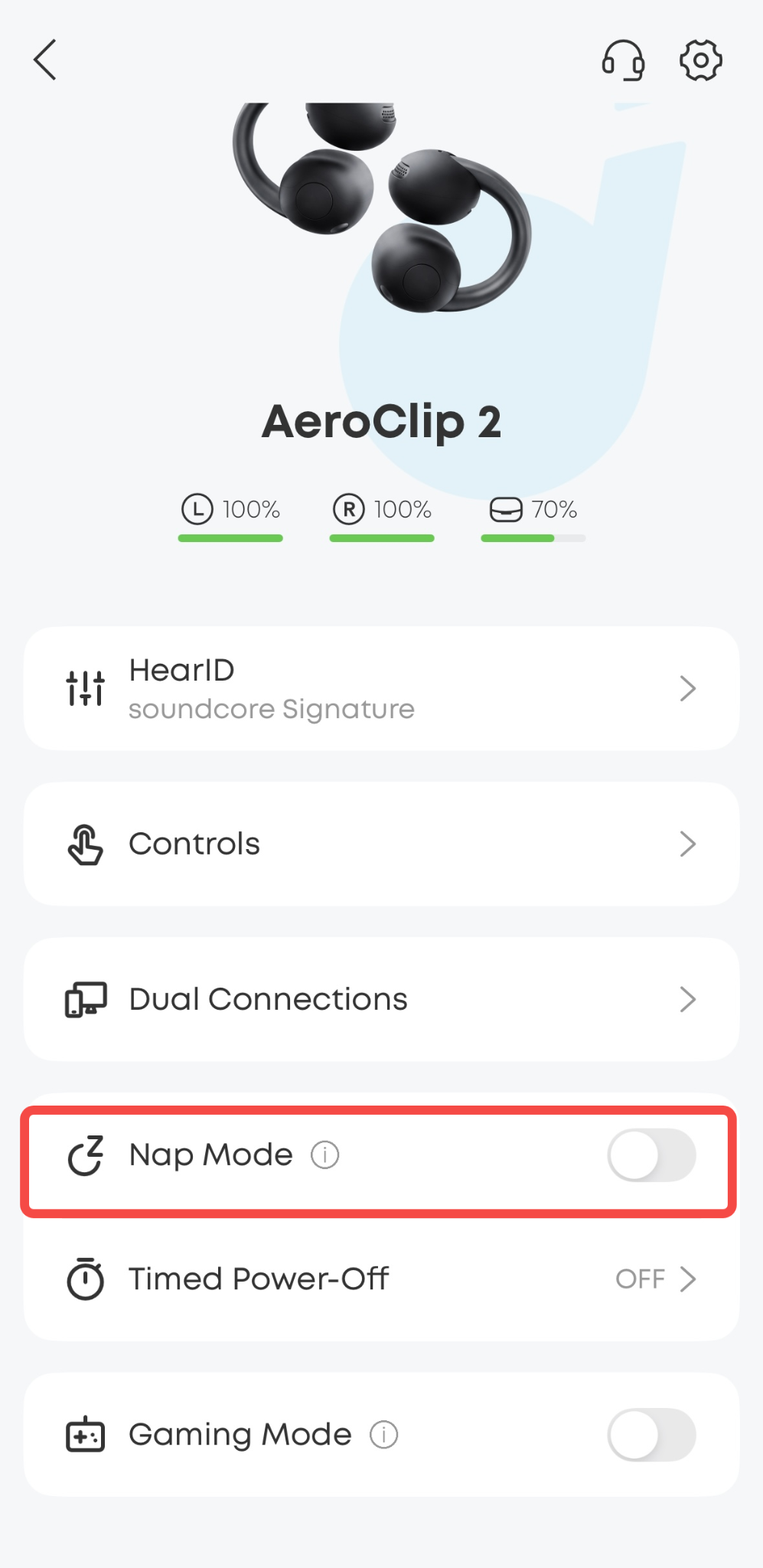
Nap Mode includes a selection of built-in relaxing tracks to help you unwind and fall asleep more easily.
To Enter Nap Mode:
Press either earbud button three times to enter or exit Nap Mode. This control cannot be customized.
To Exit Nap Mode:
While Nap Mode is active, you can exit by pressing either earbud button three times again, or by placing the earbuds into the charging case.
Available Controls in Nap Mode:
1. While Nap Mode is active, the earbud buttons only support volume adjustment for Nap Mode audio.
-
Press the left earbud button once to increase the volume.
-
Press the right earbud button once to decrease the volume.
2. You can open the soundcore app to set the Nap Mode duration, such as 10, 20, 30 minutes, or choose a custom duration. The audio will stop automatically when the timer ends, so no manual action is needed.
Notes:
1. While Nap Mode is active, the earbuds will block notifications, such as text messages, message alerts, alarms, and similar notifications. However, incoming call alerts and some meeting reminders from certain apps may still come through.
2. If Bluetooth disconnects from your phone while Nap Mode is active, Nap Mode will continue running.
3. The button controls for Nap Mode cannot be changed.
If you encounter any other issues or your issue has not been resolved, please contact us for further assistance.