First-Time Use:
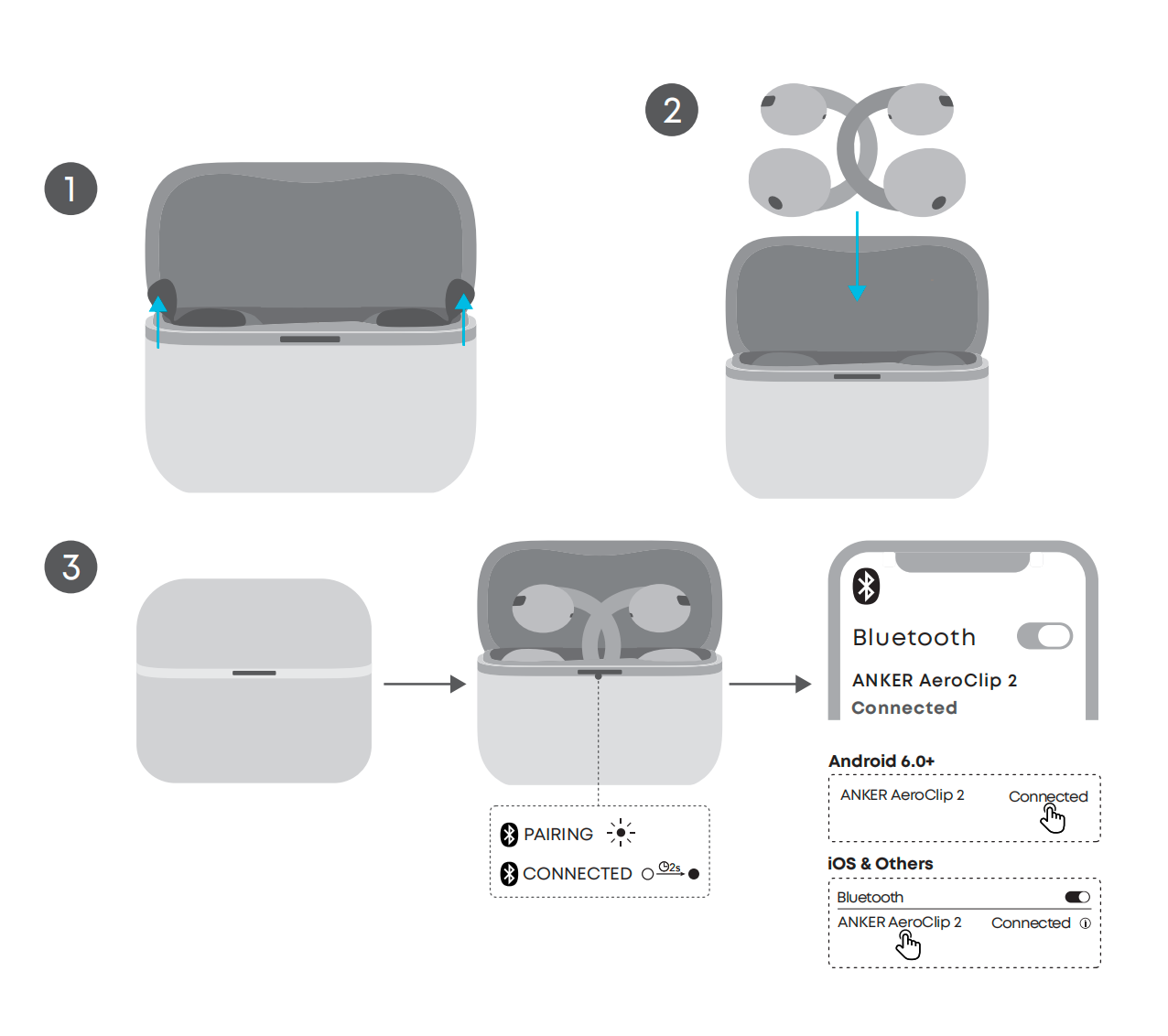
1. Open the charging case, remove both earbuds, and remove the protective film inside the case.
2. Place both earbuds back into the charging case and close the lid.
3. Open the charging case again. The earbuds will power on automatically, and the charging case indicator will flash white quickly to show that the earbuds have entered Bluetooth pairing mode.
4. Select "ANKER AeroClip 2" from your device's Bluetooth list to connect. Once connection is successful, the LED indicator will stay solid white for two seconds, then turn off.
After the initial pairing, the earbuds will automatically reconnect to your device each time you open the charging case. To ensure automatic reconnection works properly, do not delete the pairing record from your device.
Powering On Without the Charging Case: Press and hold the buttons on both earbuds at the same time for 3 seconds. Release them when you hear the power-on prompt.
Connecting to a Second Device
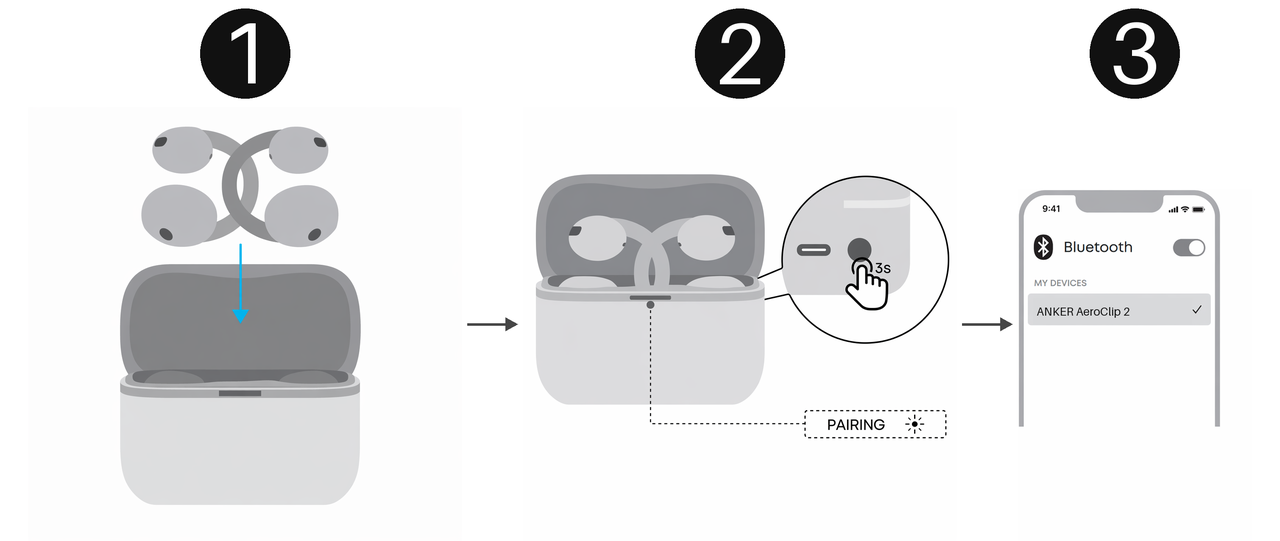
To use dual-device connection, you can manually pair your devices through the charging case.
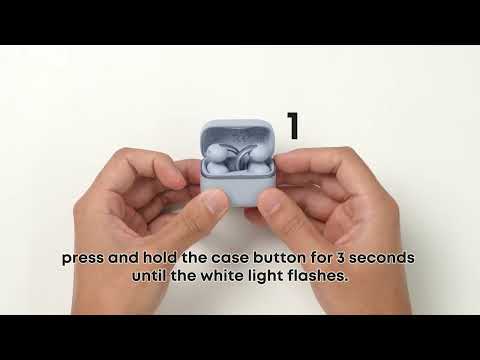
Place the earbuds into the charging case and keep the lid open. Press and hold the charging case button for more than three seconds until the LED indicator flashes white quickly. This means the earbuds have entered pairing mode. Select "ANKER AeroClip 2" from the Bluetooth list on the new device to connect.
Connecting the Earbuds to the App for the First Time
If you're a new user, download the latest version of the soundcore app (v4.0.1 or later) from the App Store or Google Play, then tap "Add Device" and select "ANKER AeroClip 2" to connect.
If you already have the soundcore app installed, update the app to v4.0.10 or later, then select "ANKER AeroClip 2" from the device list to connect.
If your earbuds show as connected via Bluetooth but will not connect in the soundcore app, this may occur in earlier versions of the app. Update to v4.0.10 or later via the App Store or Google Play. After updating, you should be able to connect to ANKER AeroClip 2 successfully.
Powering Off
1. Place the earbuds back into the charging case and close the lid to power them off automatically. The charging case LED indicator will turn on for about two seconds, then turn off. If you place the earbuds in the charging case but do not close the lid, they will remain connected to your device.
2. Without the charging case: Press and hold the buttons on both earbuds at the same time for 6 seconds to power them off manually.
3. If the earbuds are not connected to any device, they will power off automatically after 30 minutes by default. You can customize the auto power-off time in the soundcore app.
Path: Open the soundcore app, go to "AeroClip 2," tap "Settings" in the upper-right corner > "Auto Power Off," then select your preferred duration.
If you encounter any other issues or your issue has not been resolved, please contact us for further assistance.