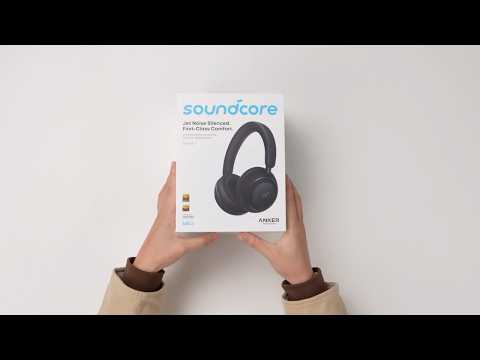
A great pair of headphones only feels great when they fit right. Here's how to get there with your Space 2 — and why it's worth taking a minute to do.
Setting them up for the first time
Before you wear them for the first time, gently peel off the protective film covering the sensor lens inside the left ear pad — it's there to protect the sensor during shipping.
Then take a look at the sliding arms: you'll see small L and R markings. Make sure each ear pad goes on the matching ear. It's an easy thing to miss, but wearing them backwards does more than feel odd — it can throw off your call quality, and in some cases you may not be heard at all on calls.
From there, slide the headband up or down until it feels natural, and settle the ear pads so your ears are fully covered, with no gaps around the edges. That full seal is what gives you the best sound and the strongest noise cancelling.
Getting the fit just right
Once the basics are on, a little fine-tuning goes a long way:
-
Try to keep the headband centered on your head rather than leaning to one side — it makes a real difference in comfort over longer listening sessions.
-
Adjust both extension arms evenly so the fit feels secure without being tight. If you notice the headphones slipping, nudging the headband slightly forward usually helps. If they still don't feel secure after this — for example, if they keep shifting or slipping during wear — reach out to us through Help & Feedback in the soundcore App. For some head shapes, we offer a structurally adjusted version of the Space 2 that sits more securely. It has the exact same features and performance, just a small fit adjustment, so we can check whether it's available in your region and better suited to you.
-
Watch out for hair getting trapped under the ear pads — it can trap heat and loosen the seal.
-
If you wear glasses, try adjusting the height slightly. The temple arms and headphones can compete for space otherwise.
Why the seal matters more than you'd think
It's not just about comfort. A snug, even seal is doing a lot of work behind the scenes:
-
It's what lets ANC do its job properly — with gaps in the seal, you might notice a faint hum or popping sound as noise sneaks back in.
-
It keeps your voice coming through clearly on calls, since the microphones are positioned to pick up sound when the fit is correct.
-
It stops sound from leaking out, which is often why headphones can feel quieter than they should.
A couple of things that are totally normal
You might hear a light popping sound when you press or adjust the ear pads — that's just a small shift in air pressure inside the ear cup, nothing to worry about. Similarly, pressing firmly on the ear pads while wearing them can sometimes produce a faint clicking or airflow sound from the speaker. Both are expected behavior, not signs of a problem.
If you encounter any other issues or your issue has not been resolved, please contact us for further assistance.