How to reset AeroClip

If you’re experiencing connectivity issues or need to restore your earbuds to factory settings, follow the steps below to perform a reset.


How do I reset AeroClip?

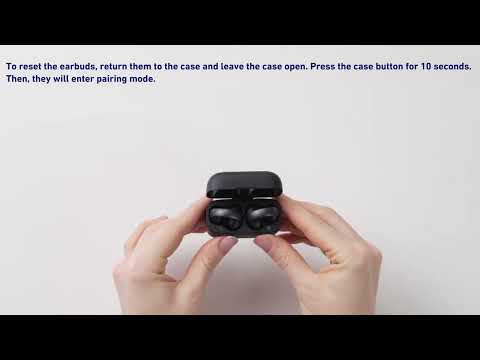
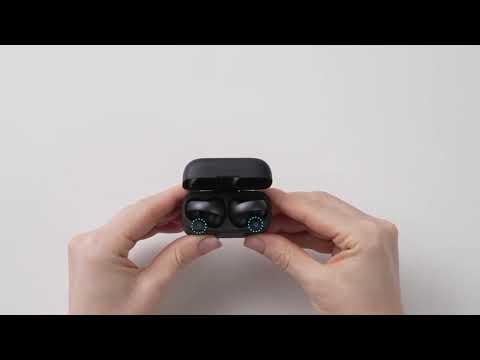
Place the earbuds in the charging case and leave the lid open. Press and hold the case button for 10 seconds until the light turns red. It will flash red three times and then flash white, indicating a successful reset.


We hope this resolved your issue! If you encounter any other issues or your issue has not been resolved, please contact us for further assistance.

How to reset AeroClip
33 undefined
soundcore AeroClip FAQ
825 views/1 likes/2025-11-18 17:11:16
Tips for Using Your New soundcore AeroClip
1795 views/1 likes/2025-08-22 17:24:32
How does AeroClip compare to C30i or C40i?
2819 views/2 likes/2025-04-08 16:03:49
How to Use AeroClip's Tap Controls
1550 views/1 likes/2025-07-08 14:59:58
What should I do if there's sound leakage on AeroClip?
1149 views/1 likes/2025-07-08 15:01:59
How to Improve Bass or Sound Quality on AeroClip
1147 views/1 likes/2025-04-08 16:03:49
Why isn't the EQ setting working?
915 views/1 likes/2025-04-08 16:03:57
How to reset AeroClip
751 views/1 likes/2025-04-08 16:03:48
EU Declaration of Conformity for soundcore A3i_A3992
A3961 QSG V2(1)
UK&CA Declaration of Conformity for soundcore Liberty 4_A3953
EU Declaration of Conformity for soundcore Liberty 4_A3953
A3947_Liberty 4 NC_QSG
Liberty 4_A3953_QSG
View More
How to use Liberty 4 Wellness features
How to Wear Liberty 4 and Change Eartips
How to Pair and Reset Sport X10
How to solve a connection issue on Sleep A10
How to Connect to the Soundcore App and Update Firmware for Sport X10
How to Use Features On the Soundcore App for Sport X10
View More
Contact Us