This guide explains how to use ANC (Active Noise Cancellation) on your Q31i, how to switch between modes, and what to expect during use.
ANC Basics
ANC (Active Noise Cancellation) uses microphones on the headphone to pick up surrounding noise and reduce it, so you can focus on your audio. The Q31i offers three modes:
-
ANC mode: Reduces surrounding noise.
-
Transparency mode: Lets in surrounding sound so you can hear your environment.
-
Normal (ANC off)
The headphone enters ANC mode by default each time it powers on.
-
Press the NC button to switch between ANC mode and Transparency mode. By default, you need to use the soundcore app to switch to normal (ANC off) mode.
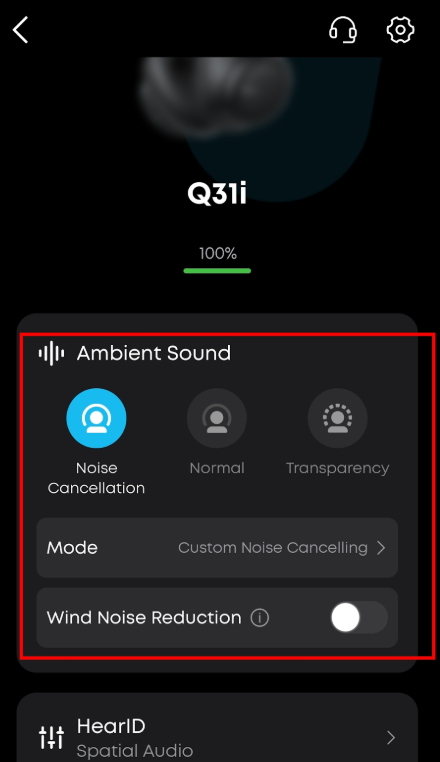
After customizing the NC button settings in the soundcore app, you can use the NC button to cycle freely between all three modes.
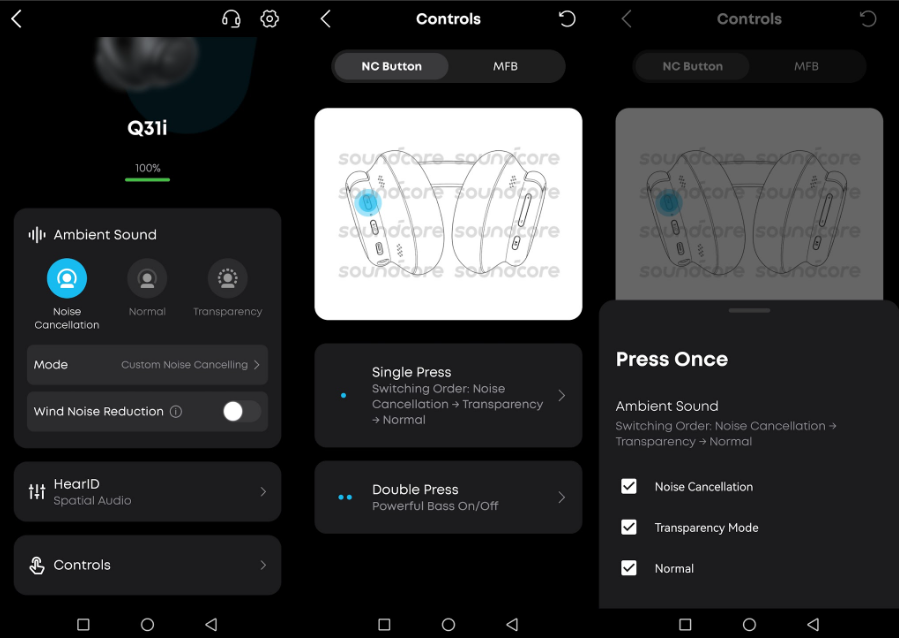
-
After powering off and on again, the headphone returns to ANC mode.
Adjust the ANC Level
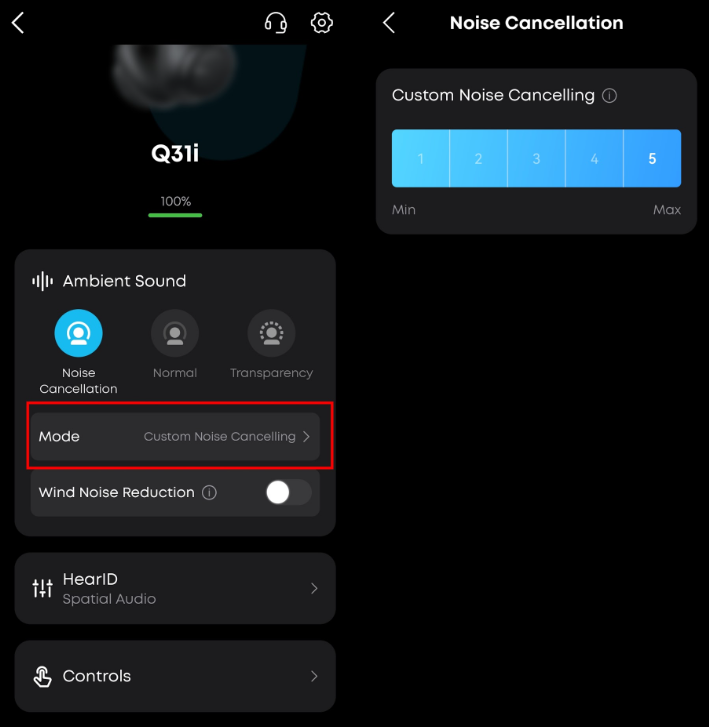
You can adjust the ANC level in the soundcore app—open the app and select the ANC level that best fits your environment. Switching to another mode is also available in the app.
ANC Effective Range
ANC is most effective against low-frequency noise (such as airplane cabin noise, train sounds, and air conditioner hum), and relatively limited against mid-to-high frequency sounds (such as people talking, alarms, or horns). In very quiet environments, the ANC effect may also feel less noticeable. This is normal and not a fault.
If you encounter any other issues or your issue has not been resolved, please contact us for further assistance.


