Can the Ear Cushions Be Removed?
Yes. The ear cushions on the soundcore Q31i are designed to be removable. You can take them off and put on a replacement set yourself at home — no tools are required. This is part of routine maintenance to keep your headphones fresh and comfortable.The Q31i ear cushions are designed for specific sides—each one is marked with an "L" or "R" on the back. Please make sure to match them correctly and do not mix them up.
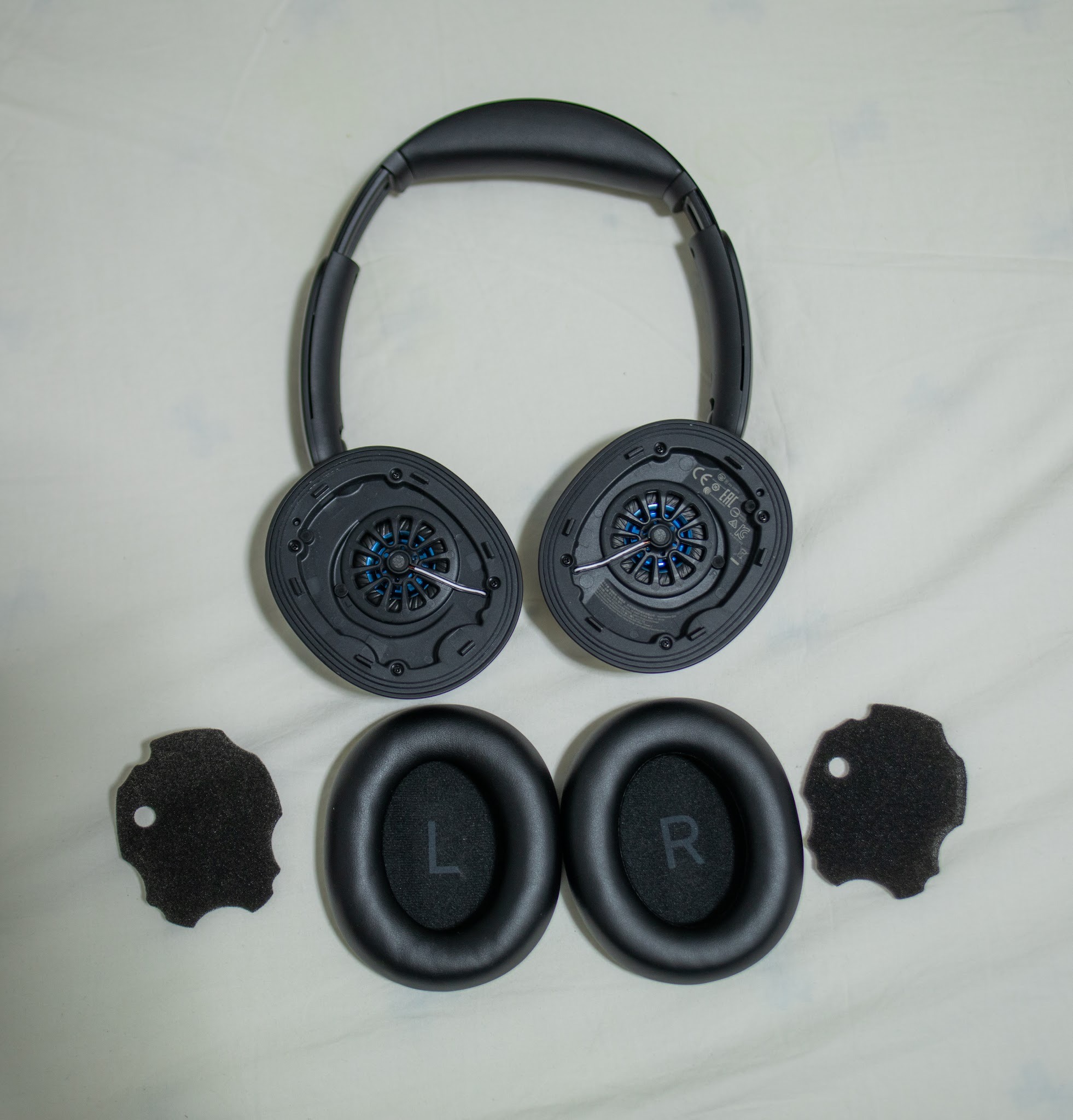
This guide walks you through the full replacement process in five simple steps: removing the old ear cushion and installing the new one.
Remove the Ear Cushions
-
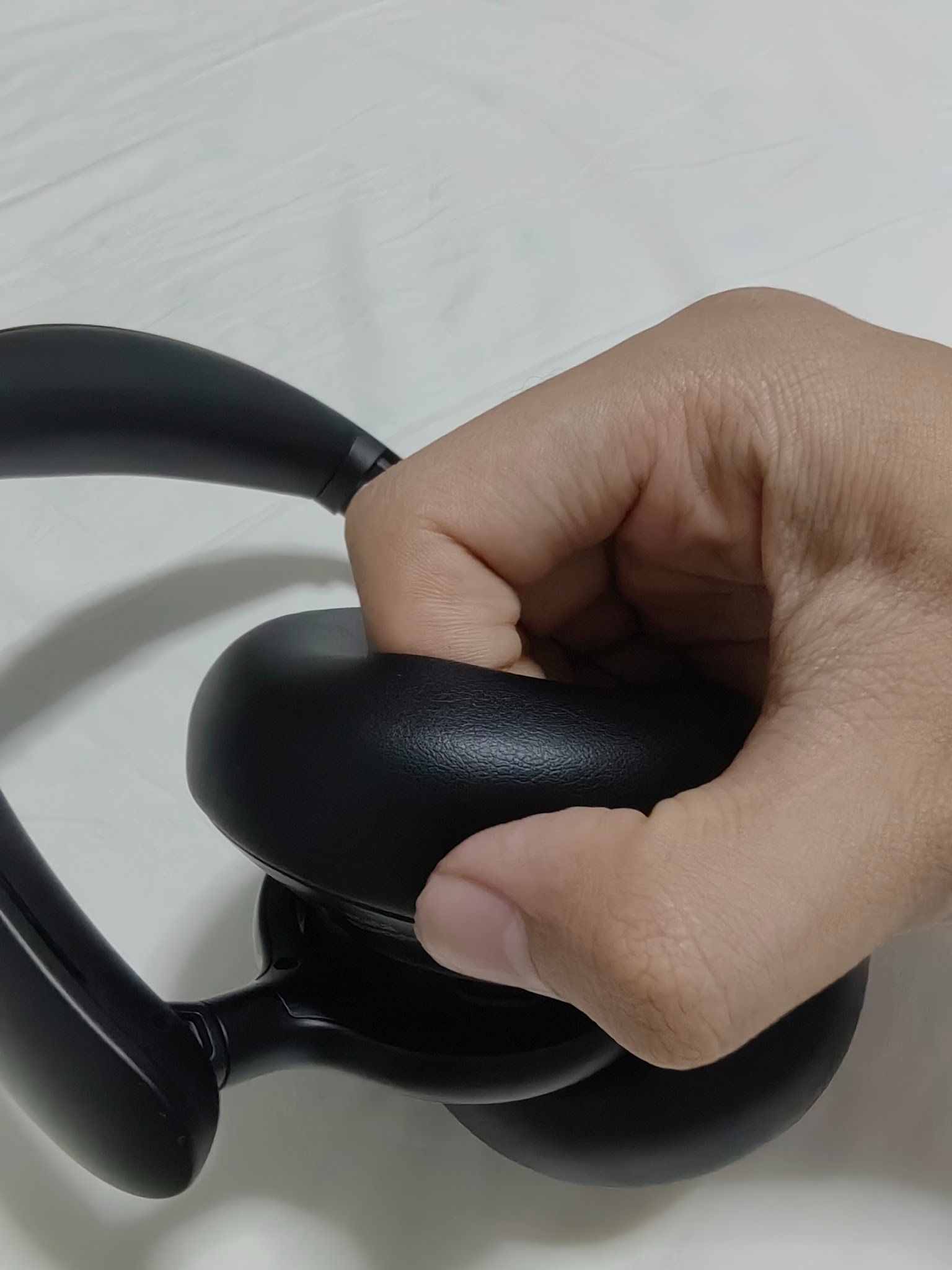
Hold the ear cushion by its longer edge.Hold the lower part of the ear cushion with four fingers on the inside and your thumb on the outside.
-
With your other hand, grip the headphone body firmly, then use both hands to pull the ear cushion outward until a gap appears between the ear cushion and the body.
-
Pull it upward and vertically to remove it from the headphone.
-
note:If difficult to open, you can insert a thin, hard object such as a coin into the gap and gently pry it open. Please do this carefully to avoid causing damage to the headphones or injury to yourself.
Install the New Ear Cushions
-
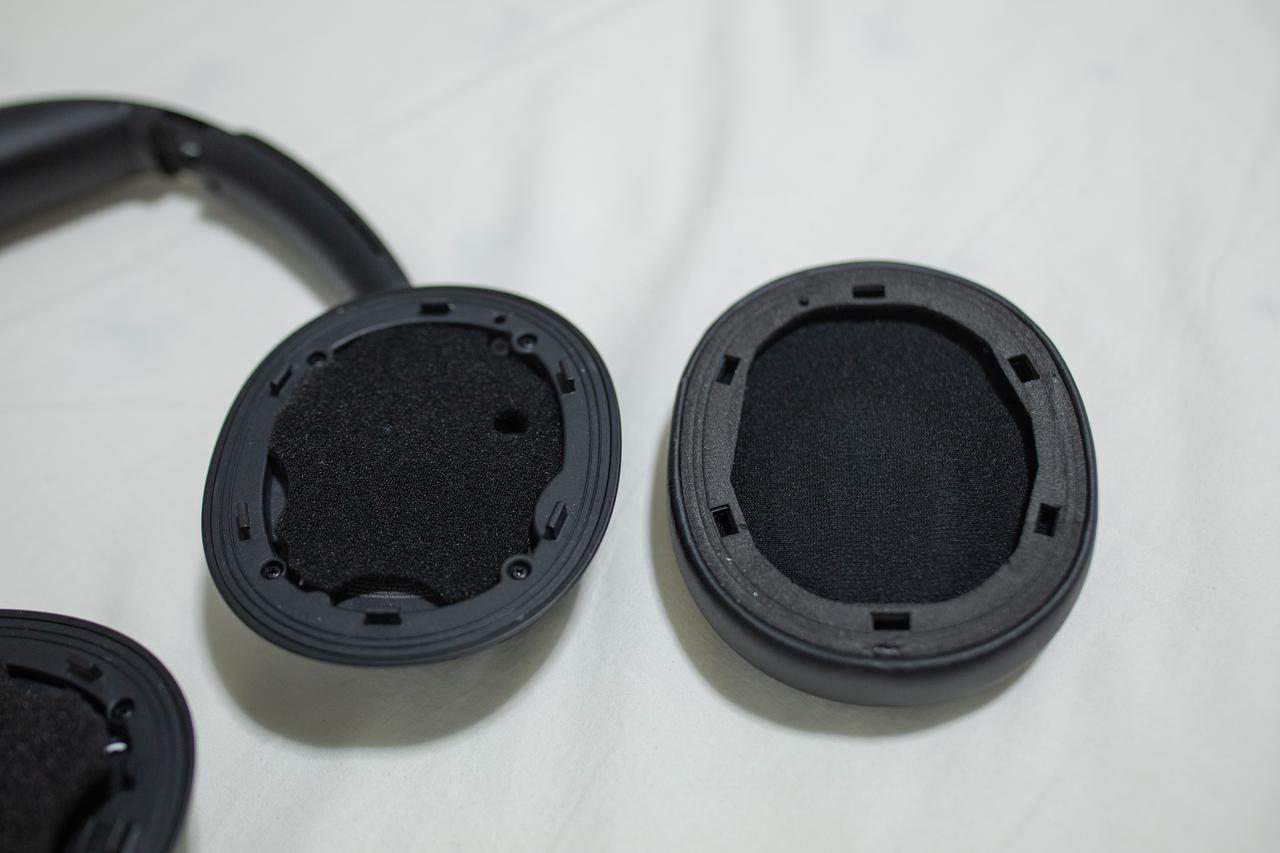
There is a piece of foam between the ear cushion and the body. Before installing the new ear cushion, please insert the foam and shape it to fit the body (as shown in the image).
-
Align the positioning posts on the ear cushion with the holes on the headphone.
-
A "click" sound indicates that a single mounting peg has snapped into place. Please press around the entire edge and make sure you hear a click at each position to confirm all mounting pegs are fully secured.
-
Gently press around the entire edge of the ear cushion with your hands to ensure it is securely in place.
-
Following the same method, install the ear cushion on the other side.
Tips
-
Replace both ear cushions at the same time to keep the sound and ANC performance consistent.
-
Clean the new ear cushions regularly with 75% medical alcohol or a slightly damp soft cloth, and wait until they are completely dry before use.
-
If not necessary, please avoid repeatedly removing and installing the ear cushions, as this may cause damage to the headphones or the ear cushions.
-
After installation, make sure the ear cushions sit evenly and seal tightly against your head—a poor seal may affect ANC performance and sound quality.
If you encounter any other issues or your issue has not been resolved, please contact us for further assistance.


