Some sounds come from your surroundings interacting with the earbuds rather than from the earbuds themselves. This article covers the most common ones and how to reduce them.
Wind Noise Outdoors
Wind hitting the earbuds' microphones can register as noise. Turn on Wind Noise Reduction (Ambient Sound > Wind Noise Reduction) when you're outdoors in windy conditions. Turn it off indoors or in calm conditions for the best listening experience.
Noise on Bumpy Roads
A "puffing" or unexpected sound while riding on bumpy roads is a common physical effect. Strong vibration can create small gaps between the earbuds and your ears, or cause sudden air pressure changes. The noise cancellation microphones may interpret this as external noise and produce a compensation signal.
1. Try Car Mode (Home > Ambient Sound > Noise Cancellation Mode).
2. Lower the noise cancellation level (Home > Ambient Sound > Noise Cancellation > Natural > Level), or switch to Normal Mode.
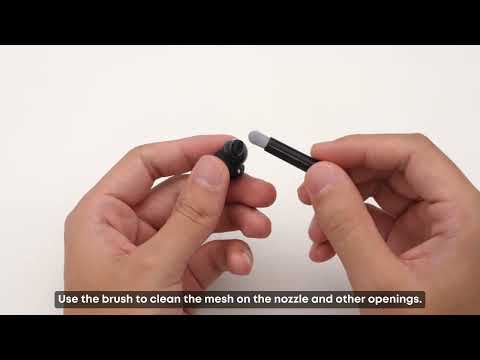
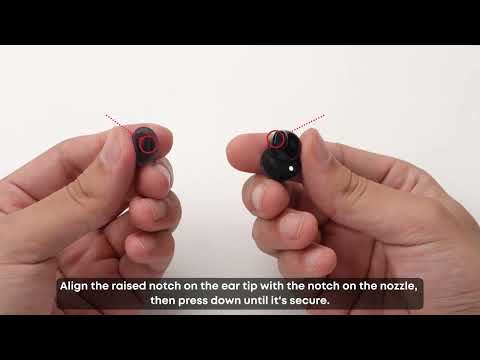
3. If feedback or a squealing sound occurs after you've been using the earbuds for a while, clean the ear tips, sound nozzles, and rear cavity holes.
Sounds You Notice in Transparency Mode
Transparency Mode enhances surrounding sound so you can hear your environment, which can also make faint background sounds audible that you wouldn't otherwise notice.
1. Switch to Normal or Noise Cancellation Mode and listen again. If the sound isn't there, it's Transparency Mode picking up ambient sound as intended.
2. If you're not wearing the ear wings, your ear or hair can rub against the microphone and create a friction sound. Adjusting the fit resolves this.
A slight, continuous sound in Transparency Mode is normal. If the sound is loud and affects normal use, please contact us so we can look into it.
Related Articles
-
Background noise with noise cancellation on: "How to Reduce Background Noise When Using Noise Cancellation on Anker Liberty Buds 2"
-
Improving overall noise cancellation: "How to Get Better Noise Cancellation Performance on Anker Liberty Buds 2"
If you encounter any other issues or your issue has not been resolved, please contact us for further assistance.