This article covers first-time pairing, common connection problems, and how to set up features like multipoint — along with what's causing each issue and the simplest fix to try first.
Pairing for the First Time
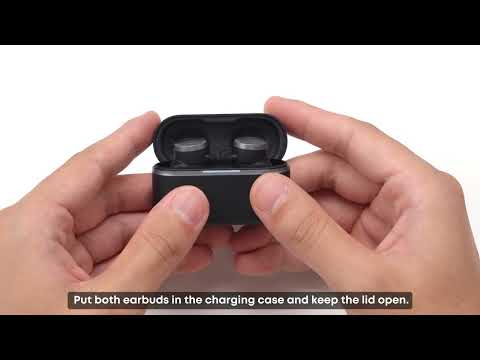
1. Open the charging case. The white light will flash and the earbuds enter pairing mode automatically. If it doesn't flash, press and hold the button on the back of the case for 3 seconds to trigger pairing mode manually.
2. On your phone, open Bluetooth settings, find "Anker Liberty Buds 2," and tap to connect.
If your phone supports Google Fast Pair, a pop-up will appear on its own once the earbuds are in pairing mode — just tap Pair.
If the Earbuds Won't Pair, or Only One Side Works
This is most often a leftover pairing record causing a conflict, rather than a hardware issue.
1. Forget the earbuds in your phone's Bluetooth settings, then turn Bluetooth off and back on — this clears out any conflicting pairing data.
2. If that doesn't resolve it, reset the earbuds: place them in the case with the lid open, then press and hold the case button for 10 seconds until the red light flashes 3 times quickly. After a reset, you'll need to pair the earbuds with your phone and the app again.
3. Pair again from a clean state by searching for "Anker Liberty Buds 2" in Bluetooth settings.
4. If it still doesn't work, try a different device — this tells you whether the issue is specific to your phone or computer.
If the Earbuds Don't Reconnect Automatically
Bluetooth reconnection has a limited memory window, so a few different things can interrupt it.
1. If the earbuds were out of range for more than 10 minutes, they stop trying to reconnect automatically — you'll need to connect them manually this one time.
2. If your device hasn't been restarted in a while, or has a long list of saved Bluetooth devices, restart it and remove connections you no longer use.
3. Clear the earbuds' pairing record from your device and pair again from scratch. If you can't find them in the Bluetooth list to forget them, put them into pairing mode manually first — either by pressing and holding both earbuds for 3 seconds while wearing them, or holding the case button for 3 seconds with both earbuds inside.
Setting Up Dual-Device Connection (Multipoint)
With the earbuds already connected to one device, use any of these to add a second:
1. Press and hold the touch area on both earbuds at the same time for 3 seconds.
2. In the app, go to Settings > Device List > Connect New Device.
3. Place the earbuds in the case with the lid open, and press and hold the case button for 3 seconds.
If you encounter any other issues or your issue has not been resolved, please contact us for further assistance.