If you notice background noise or a faint hiss while Noise Cancellation Mode is on, work through the checks below.
Check the Fit First
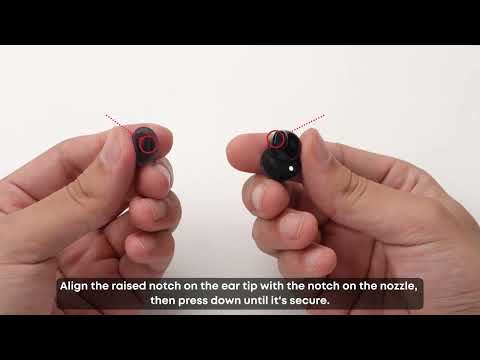
An imperfect seal is a common cause, since ambient noise leaks past a tip that doesn't seal fully.
1. Check the L / R marks on the back of the earbuds so you're wearing each one on the correct side, and twist them into position until they feel secure.
2. Try other sizes of ear tips and ear wings, mixing sizes between your left and right ears if needed.
3. Confirm the seal with the Eartip Fit Test in the Anker soundcore app (App > Earbuds Home Page > More Settings > Fit Test).
Raise the Noise Cancellation Level
In the app, set noise cancellation to Level 4 and check whether it changes what you're hearing.
-
Path: Home > Ambient Sound > Noise Cancellation > Natural > Level 4.
Compare Against Normal Mode
In Noise Cancellation Mode, the earbuds use microphones to capture ambient noise and generate inverse sound waves to reduce it. This runs in real time, and the circuitry can produce a very low-level electronic noise while it works. This is normal, and it may be more noticeable if you have sensitive hearing.
Switch to Normal Mode and listen again. If the sound isn't there in Normal Mode, what you're hearing is the faint background noise that comes with active noise cancellation.
All electronic devices have an inherent noise floor during operation, such as a faint current hum. It's usually barely perceptible.
Try a Different Source
Test the earbuds with different audio sources and Bluetooth devices, such as another phone or a tablet, to see whether the noise persists.
If you encounter any other issues or your issue has not been resolved, please contact us for further assistance.