How to Adjust Liberty 4's Volume via the Earbuds
By default, triple press either earbud.
You can customize the controls according to your preferences via the app.
1. Go to the App Store or Google Play to download the soundcore app.
2. Pair your device with Liberty 4.
3. Open the soundcore app to connect with Liberty 4.
4. Select "Controls".
5. Customize the controls according to your preferences. The default action is triple press.
Note: Customized controls are not available when using a single earbud.
If you encounter any issues during the process, please email us for further assistance.


20 undefined
Payments & Vouchers FAQ


How to Maintain and Care for soundcore Headphones
How to Register Your E-Warranty Card in the Soundcore App
Guide to Locating the Serial Number (SN) of Your soundcore Headphones
How to Reset Your soundcore Headphones
How to Clean soundcore Headphones
Parts and Accessories of soundcore Headphones
Unlock Our New Easy-To-Use Warranty Service
How to Identify Genuine soundcore Products

Liberty 4_User Manual_A3953
EU Declaration of Conformity for soundcore Liberty 4_A3953
Liberty 4_A3953_QSG
UK&CA Declaration of Conformity for soundcore Liberty 4_A3953


How to use Spatial Audio with Liberty 4

How to re-pair and reset Liberty 4

How to Wear Liberty 4 and Change Eartips

How to use Liberty 4 Wellness features

How to use squeeze control on Liberty 4
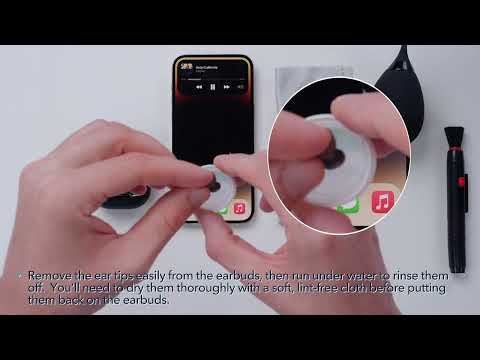
How to Clean Your Headphones
View More


