Experiencing charging or connecting issues with one earbud can be frustrating. In this article, you will find some steps to resolve this issue:
I. One Earbud Fails to Charge or Connect
-
Stop charging and check if there is any moisture or sweat in the charging port of the charging case.
-
Clean the earbuds with a soft, dry cloth and the earbuds' charging contacts with a cotton swab lightly dipped in alcohol. Then, gently clean the speaker mesh with a small brush.

-
Use a clean cloth dampened with alcohol to gently clean the case's charging contacts. Once cleaning is complete, let the earbuds sit for two hours before charging them again.


-
Reset the earbuds: Return the earbuds to the charging case and leave the case open. Press the button on the case for more than 10 seconds. After 3 seconds, the case indicator light will start flashing white. After 10 seconds, the case indicator light will quickly flash white three times, indicating a successful reset.
For more details on earbud charging, please refer to this video [How to charge soundcore AeroFit 2]
II. One Earbud Has No Sound or Low Volume
-
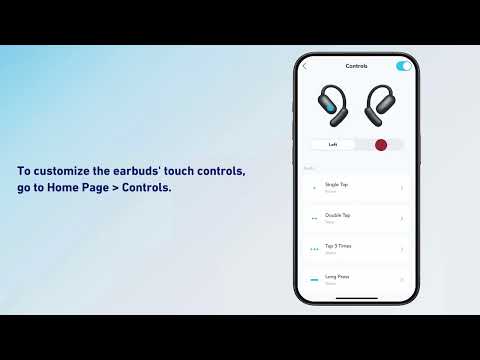
Adjust the volume balance between the left and right earbuds in the soundcore app.
-
Reset the earbuds: Return them to the charging case and leave the case open. Press the case button for over 10 seconds. After 3 seconds, the indicator light will flash white. After 10 seconds, it will rapidly flash white three times, indicating a successful reset.
-
Use a Q-tip dipped in a small amount of rubbing alcohol or a small, clean brush to gently clean the metal mesh filter. If possible, try cleaning the filter with modeling clay to see if it works effectively. Finally, use a cotton swab or toothpick to remove the loosened particles.
-
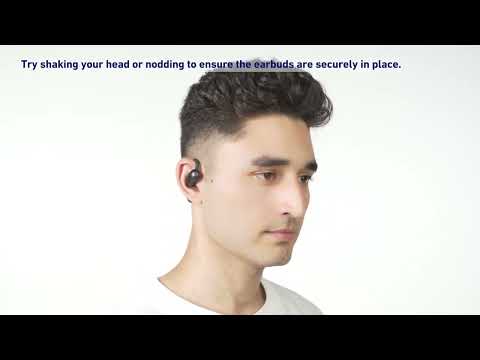
Ensure the earbuds are worn at the correct angle.
If you encounter any other issues or your issue has not been resolved, please contact soundcore customer service for further assistance.