Details
Related Articles
Manuals & Downloads
Support Videos
How to Fold My Space One Pro

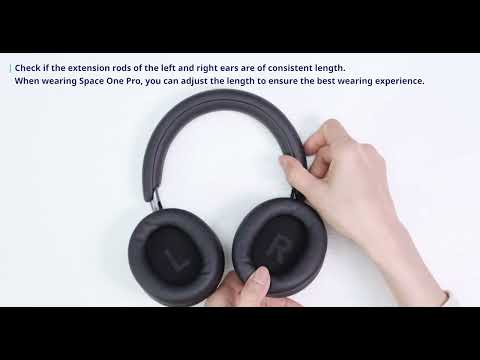
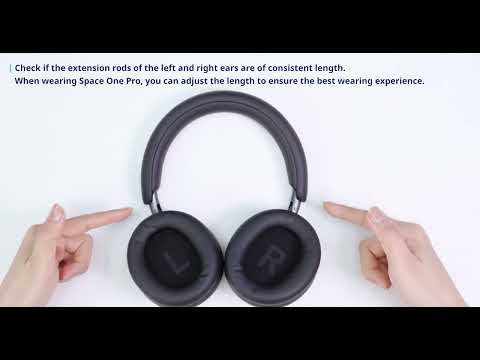
Space One Pro headphones are praised for their excellent sound quality and comfortable fit. To facilitate easy carrying and storage, these headphones feature a unique snake-bone foldable design. In this article, you will find the detailed folding steps to help you easily fold and unfold your headphones.


3 Steps to Fold Space One Pro

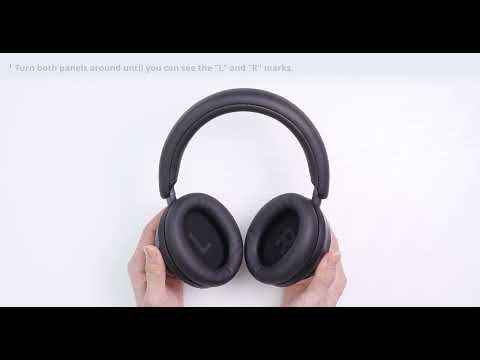
1. Rotate both panels until "L" and "R" are visible.

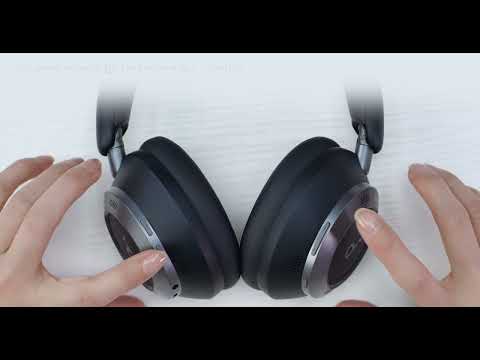
2. Fold the left panel. Rotate the right panel until you see the soundcore logo.

3. Fold the right panel to align with the left.

Now you've successfully folded your headphones!


Please note that:

The headphones can be folded with either the left or right ear cup first.

After unfolding, there may be creases on the ear cups. You can smooth them out by hand.


If you encounter any other issues or your issue has not been resolved, please contact us for further assistance.
How to Fold My Space One Pro
Download
Applicable for those products :
Resolved
Unresolved
Copied
22 Results
How to Enable LDAC for Space One Pro
6927 views/5 likes/2024-09-04 10:55:16
soundcore Space One Pro Headphones FAQ
5124 views/1 likes/2025-04-08 16:03:23
Understanding and Troubleshooting Headphone Noise Issues
3647 views/1 likes/2025-04-08 16:03:41
How to Enable Multipoint Connection for Space One Pro
2463 views/1 likes/2025-04-08 16:03:24
How to Improve the Sound Quality of Space One Pro
2315 views/1 likes/2025-04-08 16:03:28
What Should I Do if I Cannot Access the soundcore App?
2523 views/1 likes/2025-04-08 16:03:29
How to Reset Space One Pro
1788 views/1 likes/2025-04-08 16:03:29
View More
Manuals & Downloads
EU Declaration of Conformity for soundcore A3i_A3992
Download
A3961 QSG V2(1)
Download
UK&CA Declaration of Conformity for soundcore Liberty 4_A3953
Download
EU Declaration of Conformity for soundcore Liberty 4_A3953
Download
A3947_Liberty 4 NC_QSG
Download
Liberty 4_A3953_QSG
Download
View More
Support Videos
How to use Liberty 4 Wellness features
How to Wear Liberty 4 and Change Eartips
How to Pair and Reset Sport X10
How to solve a connection issue on Sleep A10
How to Connect to the Soundcore App and Update Firmware for Sport X10
How to Use Features On the Soundcore App for Sport X10
View More
Contact Us