If you're finding that your soundcore AeroFit Pro earbuds are not holding a charge or are draining too quickly, you can try the following suggestions to fix them. In this article, we'll walk you through some of the steps to resolve battery issues with your AeroFit Pro earbuds.
First of all, please confirm whether you have encountered the following situations:
1) The earbuds don’t recharge in the charging case.
2) The earbuds keep connecting to the device even after being put back in the charging case with the cover closed.
3) The earbuds don't turn on when taken out of the charging case.
4) The earbuds discharge quickly.
To fix those issues mentioned above, please try the following troubleshooting:
1. Remove the insulation stickers covering the charging pins on the earbuds.
2. Try charging the case first to ensure it has power left.
3. Clean the charging pins with a dry cloth and an alcohol-based disinfectant. This is to ensure all charging contact pins on the earbuds and charging case are completely clean and dry of sweat and water. Then put the earbuds correctly into the case.
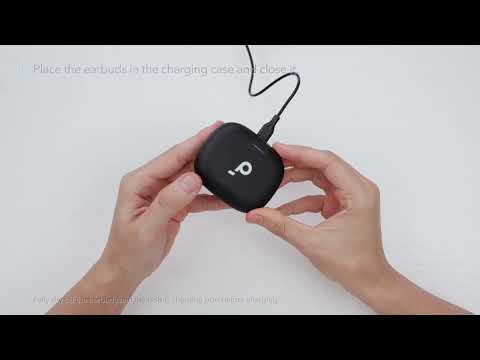
4. Put the earbuds in the charging case, close the cover first, wait for 6 seconds, and then open the cover to see if the earbuds turn on again.
5. Charge your charging case with a different charging cable and wall charger, and make sure the charging case has enough power.
Please note that playtime varies according to the volume level and audio content played on the earbuds, so please provide us with detailed information on how you listen/use your AeroFit Pro earbuds.
If your earbuds discharge quickly, please also try the following tips:
- Fully charge both earbuds and use them at the same time. Test how long they can last at an average volume and let us know the durations (minutes).
- Turn off LDAC mode via soundcore App.
If you encounter any other issues or your issue has not been resolved, please contact us for further assistance.