what should I do if I can't connect to Anker Nebula?
Try the following steps to see if they help:
1. Uninstall Anker Nebula.
2. Go to your phone's Bluetooth settings and remove your pairing with your projector.
3. Restart your phone.
4. Reinstall Anker Nebula and try connecting again.
If the above solutions cannot solve your issue, please contact Nebula Customer Support at support@seenebula.com for further assistance.


20 undefined
How Do I Install and Use Hulu on an Android TV Projector?


30-Day Money-Back Guarantee
How to fix if my Mars 3 Air won't power on or charge?
What should I do if my canpsule 3 cannot be charged?
What should I do if Capsule 3 can't connect to Wi-Fi?
What should I do if the screen fit function does not work?
Firmware Release Notes for Mars 3 Air
Firmware Release Notes for Capsule 3
Can the USB-C Port from the Capsule 3 Support Working with HDMI?
What is Capsule 3/Mars 3 Air's projection distance?

【D4112】NEBULA Capsule Air EU Declaration
【D2333】Nebula Mars 3 EU Declaration
【D2426】NEBULA Capsule 3 Laser EU Declaration
【D2342】NEBULA Cosmos 4K SE EU Declaration
【D2325】 Nebula Mars 3 Air EU Declaration
【D2425】Nebula Capsule 3 EU Declaration
View More

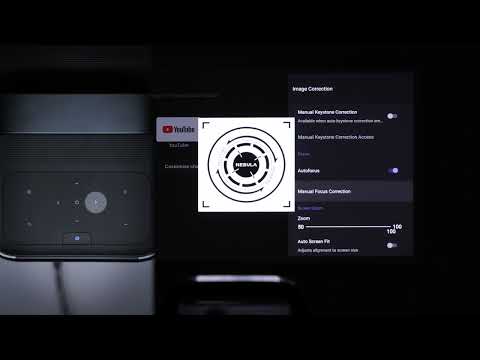
Auto & Manual Focus
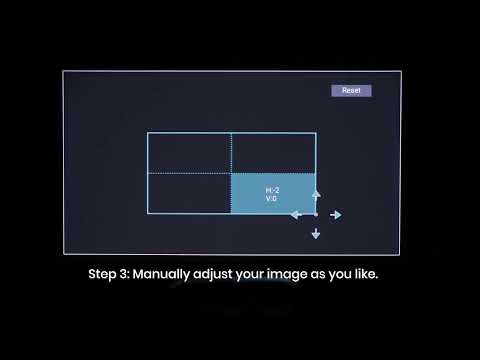
Manual Keystone Correction
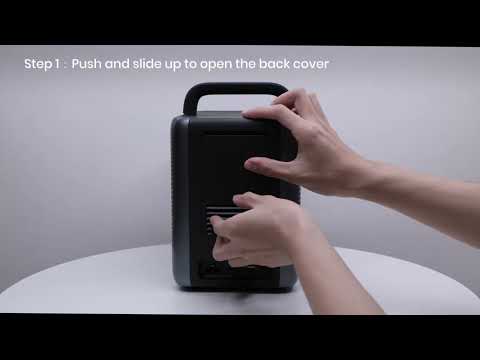
How to Install the 4K Dongle?
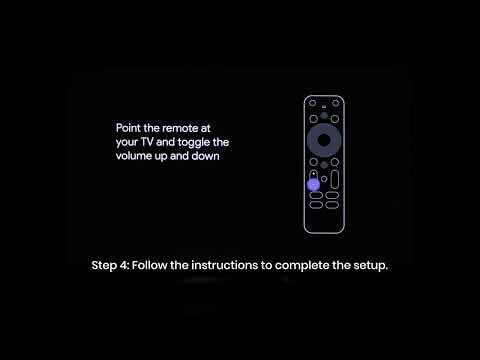
Set up Remote Buttons
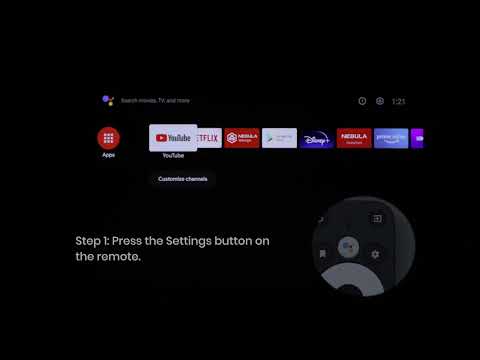
How to Update Your Firmware?

How to Screen Mirror and Cast Content from Your iPhone and Android Phone?
View More


