soundcore AeroFit User Guide (A3872)
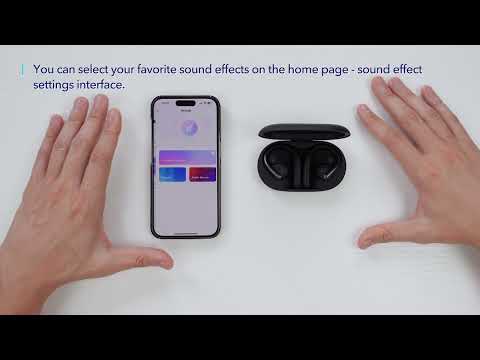
Download the soundcore app to experience 3D surround sound, adjust EQ settings, update firmware, and explore more.
If your earbuds cannot connect with the soundcore app, re-install the app or update it to the latest version in your mobile app store.
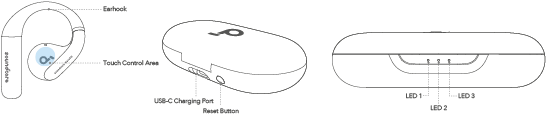
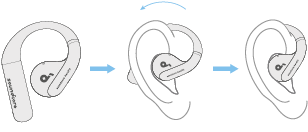
Pick up the earbuds from the charging case, then rotate the earhooks along the auricles of your ear to achieve proper positioning.


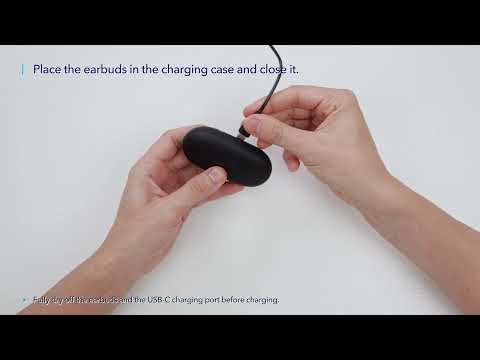
1. Place the earbuds in the charging case and close it.
• Fully dry off the earbuds and the USB-C charging port before charging.
Low Battery Indication
Earbuds: You will hear a voice prompt of battery running low.
Charging case: The LED 1 indicator will light up for 3 seconds and then go off.

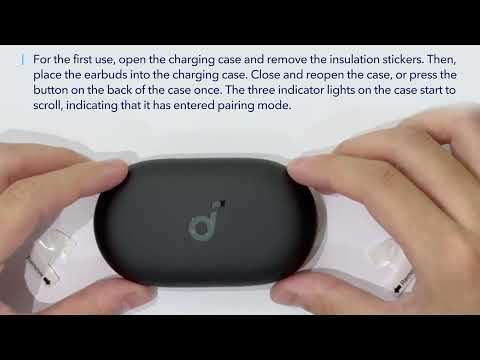
After removing the insulation stickers on the earbuds, return earbuds to the charging case, then press the reset button to activate Bluetooth pairing. Also, you can pair by closing and reopening the case lid once the earbuds are back in the case. Subsequently, the earbuds will automatically power on and enter Bluetooth pairing mode when connecting for the first time. Select "soundcore AeroFit" on your device's Bluetooth list to connect. When pairing, the LED indicators on the charging case will start scrolling. After the pairing is successful, the LED indicators on the charging case will light up for 2 seconds and then go off.
Once connected successfully, they'll automatically reconnect to your device every time you open the charging case, as long as you haven't deleted the pairing history from your device.
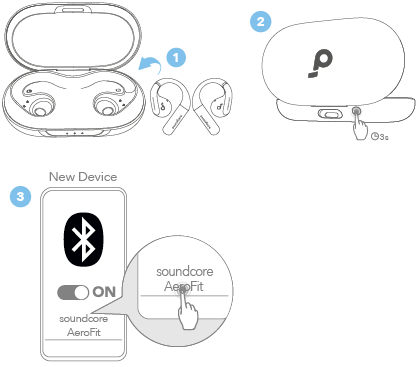
If you want to connect the earbuds to a new device in subsequent use, please follow the steps below:
1. Place the earbuds back into the charging case;
2. Press down the reset button and hold for 3 seconds until the LED indicators on the charging case start scrolling;
3. Select "soundcore AeroFit" on your new device's Bluetooth list to connect.
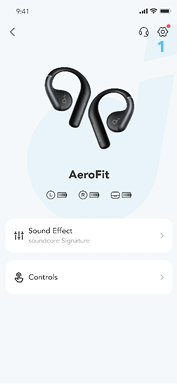
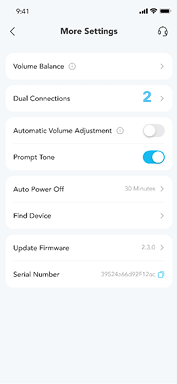
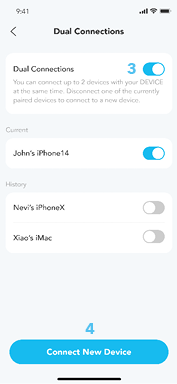
To connect the earbuds with two Bluetooth devices at the same time, open the soundcore app, go to settings and select Dual Connections > Enable Dual Connections > Connect New Device.

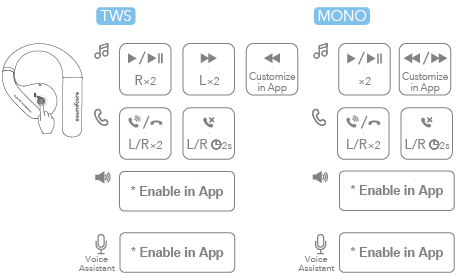
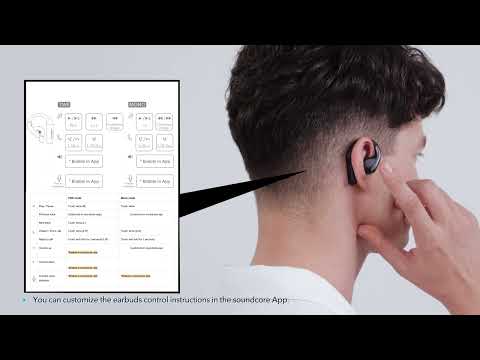
|
TWS mode |
Mono mode | ||
|
|
Play / Pause |
Touch twice (R) |
Touch twice |
|
Previous track |
Customize in soundcore app |
Customize in soundcore app | |
|
Next track |
Touch twice (L) | ||
|
|
Answer /End a call |
Touch twice (L/R) |
Touch twice (L/R) |
|
Reject a call |
Touch and hold for 2 seconds (L/R) |
Touch and hold for 2 seconds | |
|
|
Volume up |
*Enable in soundcore app |
*Enable in soundcore app |
|
|
Volume down |
*Enable in soundcore app | |

|
Activate voice assistant |
*Enable in soundcore app |
*Enable in soundcore app |


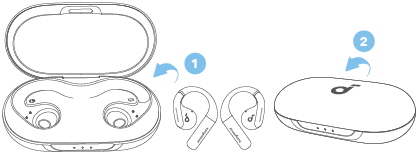
To power off, return the earbuds to the charging case and close it.

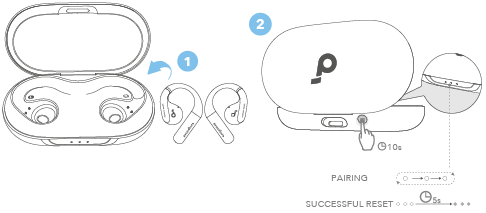
Reset if the earbuds have issues pairing with each other or with other devices.
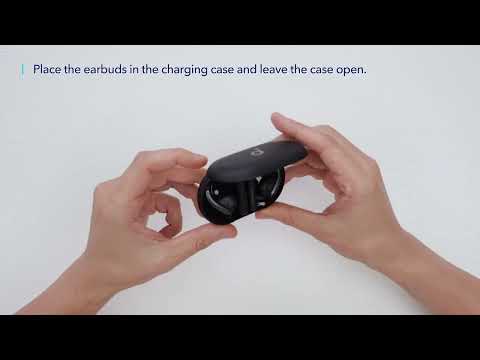
Delete the pairing history from your Bluetooth device first. Place the earbuds in the charging case and leave the case open. Press and hold the reset button on the charging case for 10 seconds until the LED indicators on the charging case start to scroll and then stay on for 5 seconds. At this time, your earbuds have been successfully reset.
|
LED Status |
Battery Level |
|
LED 1-3 ON
|
> 70% |
|
LED 1-2 ON
|
30% - 70% |
|
LED 1 ON
|
5% - 30% |
|
LED 1 Flashes
|
< 5% (needs charging) |


|
LED Status |
Battery Level during Charging |
|
LED 1 Pulsing
|
< 30% |
|
LED 1 On, LED 2 Pulsing
|
30% - 70% |
|
LED 1 & LED 2 On, LED 3 Pulsing
|
70% - 95% |
|
LED 1-3 Steady White for 10s
|
100% |



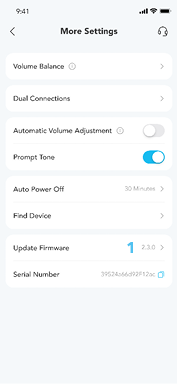
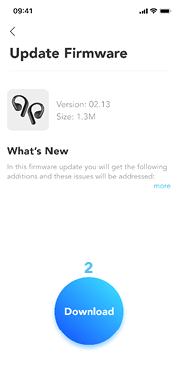
You will be informed once a new firmware version is detected when you connect the earbuds to the app. Ensure the earbuds are placed in the charging case and the case remains open until the firmware update is complete. During the update, ensure the earbuds are being charged and avoid any usage.
Specifications are subject to change without notice.
|
Input |
5V |
|
Output |
5V |
|
Battery capacity |
85mAh × 2 (earbuds); 750mAh (charging case) |
|
Charging time |
1 hour (earbuds); 2 hours (charging case) |
|
Driver unit |
14mm dynamic driver |
|
Frequency response |
20Hz - 20kHz |
|
Impedance |
11Ω |
|
Waterproof rating (earbuds) |
IPX7 |
|
Bluetooth version |
5.3 |
|
Bluetooth range |
10m / 33ft |
|
Maximum volume |
89dB |
 1.2A
1.2A .png)