What should I do if Life P3 disconnects or the sound is choppy?

Please note that this doesn't necessarily mean there is an issue with the earbuds but it may have something to do with the connected device and environment. Bluetooth signals may be influenced by obstructions, such as walls, pillars, home appliances, Wi-Fi, and more. To ensure a stable connection, we recommend avoiding such obstructions.


To fix this issue, please try the following troubleshooting:

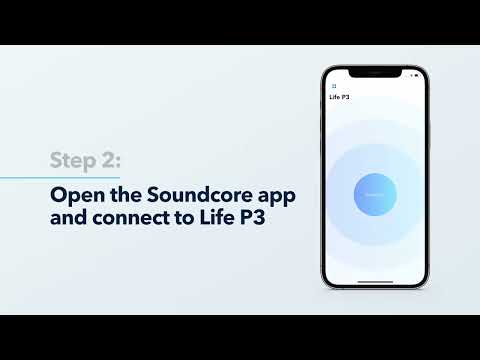
  1. Fully charge and reset your earbuds as stated below and re-pair them.

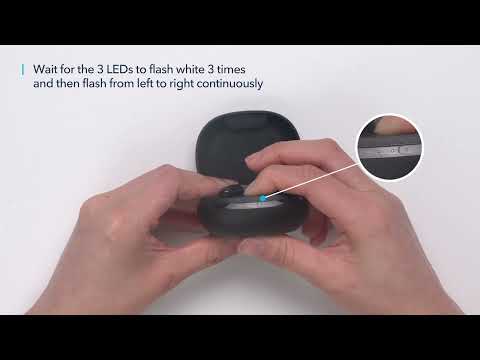
       - Place the earbuds into the charging case and keep the case open. 

       - Press and hold the button on the charging case for 10 seconds until 3 LED indicators on the charging case flash white 3 times and then flash white in sequence continuously. This confirms that the reset was successful.       

  1. Check the earbuds by listening to downloaded music/video.
  2. Check the earbuds with another Bluetooth device in a different environment to see if it works well.
 

If you have additional questions, please contact us at Service@soundcore.com for further assistance. Make sure to mention that you have tried the steps in this FAQ so our agents do not ask you to repeat these steps.


Download icon
What should I do if Life P3 disconnects or the sound is choppy?
Unresolved icon
24 undefined
soundcore parts and accessories
30297 views1 likes/2025-04-08 16:00:05
How to Reset Your soundcore Headphones
51861 views5 likes/2025-04-08 16:03:59
How to Solve Common Issues with True Wireless Earbuds
18563 views1 likes/2025-04-08 16:15:47
Soundcore Warranty Policy
57743 views10 likes/2022-10-13 11:05:11
Parts and Accessories of soundcore Headphones
12450 views1 likes/2025-04-08 16:02:25
How to Identify Genuine soundcore Products
19274 views2 likes/2025-04-08 16:02:15
How to Clean soundcore Headphones
7386 views2 likes/2025-04-08 16:02:37
Download icon
A3930 Liberty 2 Pro Upgraded Version Quick Start Guide
Download icon
A3930 Liberty 2 Pro Upgraded Version DOC
Download icon
A3930 Liberty 2 Pro Upgraded Version User Manual
Download icon
A3931 Life Dot 2 NC Quick Start Guide
Download icon
A3931 Life Dot 2 NC DOC
Download icon
A3931 Life Dot 2 NC User Manual
View More
Play videoHow to Wear the Liberty 2 Pro Upgraded Version Correctly
How to Wear the Liberty 2 Pro Upgraded Version Correctly
Play videoHow to Use HearID for Liberty 2 Upgraded Version
How to Use HearID for Liberty 2 Upgraded Version
Play videoHow to Pair Liberty 2 Pro Upgraded Version
How to Pair Liberty 2 Pro Upgraded Version
Play videoHow to Reset Liberty 2 Pro Upgraded Version
How to Reset Liberty 2 Pro Upgraded Version
Play videoHow to Replace the EarWings and EarTips on Liberty 2 Pro Upgraded Version
How to Replace the EarWings and EarTips on Liberty 2 Pro Upgraded Version
Play videoHow to Power Liberty 2 Pro Upgraded Version On/Off and Use the Controls
How to Power Liberty 2 Pro Upgraded Version On/Off and Use the Controls
View More
Contact Us