What should I do if Life A2 NC or Life Dot 2 NC has sound-related issues?
Try these troubleshooting steps to see if they are helpful:
- Make sure your earbuds can be charged and turned on correctly.
- Put the earbuds into the charging case and close the case for 10 seconds. Then, open the case and try pairing again.

If that doesn't work, try the following:
1. Forget the Bluetooth pairing record on your device if you have previously connected the earbuds.
2. Reset the earbuds.
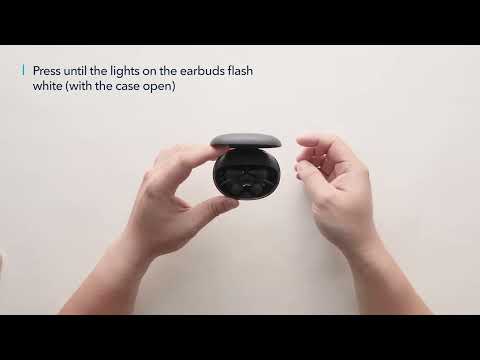
- Place the earbuds into the charging case and leave the cover open.
- Press and hold the button at the bottom of the case for 10 seconds until the LED indicators on the earbuds flash red 3 times and then turn white. Wait until the LED indicator on one earbud flashes fast while the other flashes slowly. This confirms that the reset was successful and your earbuds can be connected normally. (See "How do I reset Life A2 NC?" online via keywords "CgjQBZOaTrM")
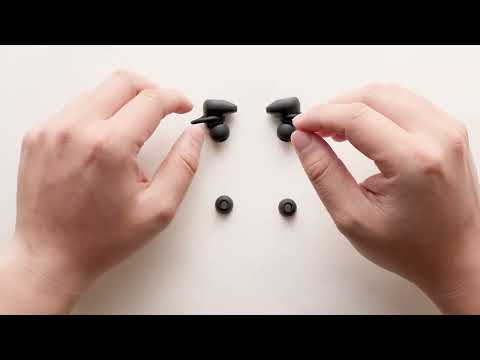
3) Try to take off the ear tips and use a Q-tip with rubbing alcohol to clean the filters.

If you have additional questions, please contact us at service@soundcore.com for further assistance. Make sure to mention that you have tried the steps in this FAQ so our agents do not ask you to repeat them.

 
Unresolved icon
22 undefined
Unlock Our New Easy-To-Use Warranty Service
273584 views478 likes/2025-04-08 16:02:12
soundcore parts and accessories
34368 views1 likes/2025-04-08 16:00:05
How to Reset Your soundcore Headphones
59142 views5 likes/2025-04-08 16:03:59
How to Solve Common Issues with True Wireless Earbuds
22555 views1 likes/2025-04-08 16:15:47
Soundcore Warranty Policy
60046 views10 likes/2022-10-13 11:05:11
Parts and Accessories of soundcore Headphones
14329 views1 likes/2025-04-08 16:02:25
How to Identify Genuine soundcore Products
22515 views2 likes/2025-04-08 16:02:15
How to Clean soundcore Headphones
8877 views2 likes/2025-04-08 16:02:37
Download icon
A3930 Liberty 2 Pro Upgraded Version Quick Start Guide
Download icon
A3930 Liberty 2 Pro Upgraded Version DOC
Download icon
A3930 Liberty 2 Pro Upgraded Version User Manual
Download icon
A3931 Life Dot 2 NC Quick Start Guide
Download icon
A3931 Life Dot 2 NC DOC
Download icon
A3931 Life Dot 2 NC User Manual
View More
Play videoHow to Wear the Liberty 2 Pro Upgraded Version Correctly
How to Wear the Liberty 2 Pro Upgraded Version Correctly
Play videoHow to Use HearID for Liberty 2 Upgraded Version
How to Use HearID for Liberty 2 Upgraded Version
Play videoHow to Pair Liberty 2 Pro Upgraded Version
How to Pair Liberty 2 Pro Upgraded Version
Play videoHow to Reset Liberty 2 Pro Upgraded Version
How to Reset Liberty 2 Pro Upgraded Version
Play videoHow to Replace the EarWings and EarTips on Liberty 2 Pro Upgraded Version
How to Replace the EarWings and EarTips on Liberty 2 Pro Upgraded Version
Play videoHow to Power Liberty 2 Pro Upgraded Version On/Off and Use the Controls
How to Power Liberty 2 Pro Upgraded Version On/Off and Use the Controls
View More
Contact Us