How to switch between stereo and mono mode of Liberty 2?

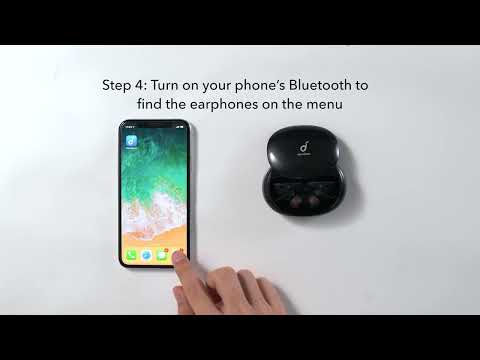
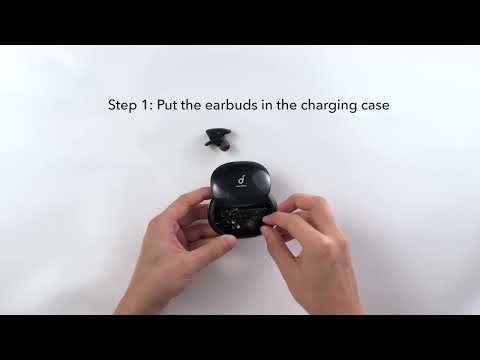
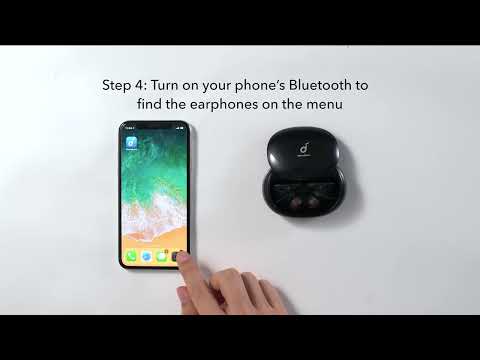
1. When connecting to a device for the first time, there will be a pop-up window for you to confirm pairing. Select "pair". If you accidentally select "cancel", you need to delete the earbuds from the device's Bluetooth history and re-pair Liberty 2. 

2. If you have paired the earbuds with only one device:
  Stereo Mode: Take both earbuds out from the charging case and they will automatically enter stereo mode.

  Mono Mode: Put one earbud into the charging case and close the lid, then use the other one. If that doesn't work, please confirm step 1 has been done successfully.
 
When you switch from stereo to mono, the audio will pause. Within 2-4 seconds, Liberty 2 earbuds will connect again so press play to continue listening. 
3. If you paired the earbuds with several devices before, disable the Bluetooth on other devices and connect the earbuds to the device you want to use. If the earbuds do not connect to the device automatically, you can manually select the earbuds from the device's Bluetooth menu. After this, follow the same method in step 2 to switch between stereo and mono.


If you have additional questions, please contact us at service@soundcore.com for further assistance.


How to switch between stereo and mono mode of Liberty 2?
27 undefined
Unlock Our New Easy-To-Use Warranty Service
252855 views/327 likes/2025-04-08 16:02:12
soundcore parts and accessories
25530 views/1 likes/2025-04-08 16:00:05
How to Reset Your soundcore Headphones
43929 views/3 likes/2025-04-08 16:03:59
What to do if the earbuds don’t charge or turn on?
9645 views/1 likes/2025-04-08 16:01:02
How to Solve Common Issues with True Wireless Earbuds
13930 views/1 likes/2025-04-08 16:15:47
Soundcore Warranty Policy
55026 views/10 likes/2022-10-13 11:05:11
Parts and Accessories of soundcore Headphones
10148 views/1 likes/2025-04-08 16:02:25
How to Identify Genuine soundcore Products
15355 views/2 likes/2025-04-08 16:02:15
EU Declaration of Conformity for soundcore A3i_A3992
A3961 QSG V2(1)
UK&CA Declaration of Conformity for soundcore Liberty 4_A3953
EU Declaration of Conformity for soundcore Liberty 4_A3953
A3947_Liberty 4 NC_QSG
Liberty 4_A3953_QSG
View More
How to use Liberty 4 Wellness features
How to Wear Liberty 4 and Change Eartips
How to Pair and Reset Sport X10
How to solve a connection issue on Sleep A10
How to Connect to the Soundcore App and Update Firmware for Sport X10
How to Use Features On the Soundcore App for Sport X10
View More
Contact Us