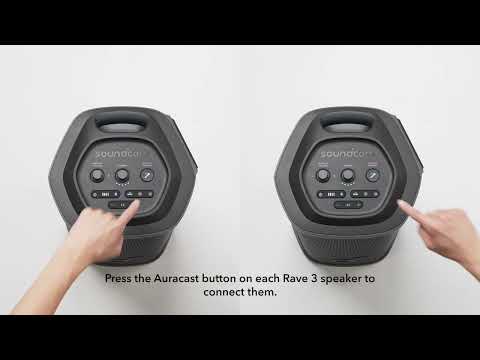
How to connect wireless mic to Rave 3

Our soundcore Rave 3 speaker comes with two wireless microphones. Usually, after installing the batteries and turning on the wireless microphones, they will automatically connect to the speaker. If they do not connect or get disconnected, please refer to the following steps for connection:


1. Turn on the speaker, then press 'Vocal Removal' and 'Volume +' on the speaker at the same time for around 5-10 seconds until you hear a prompt sound.

2. Press and hold 'Vocal Removal' and 'Volume +' on the microphone for around 5-10 seconds. A prompt sound will indicate successful pairing.


If you have additional questions, please contact us at service@soundcore.com for further assistance.

Download icon
How to connect wireless mic to Rave 3
Unresolved icon
7 undefined
soundcore Rave 3 FAQ
10030 views2 likes/2024-10-11 15:15:40
What is Auracast and does Rave 3 speaker support it?
1871 views1 likes/2025-04-08 16:03:32
How to connect wireless mic to Rave 3
1727 views1 likes/2025-04-08 16:03:33
What's in the box for this Rave 3 speaker?
676 views1 likes/2025-04-08 16:03:32
Why can't I find Rave 3 speaker in the soundcore App?
570 views1 likes/2025-04-08 16:03:32
Download icon
soundcore Rave 3 User Guide (A31A3)
Download icon
soundcore Rave 3 User Guide (A31A3)-V2
Download icon
【A31A3】soundcore Rave 3 EU Declaration
Download icon
soundcore Rave 3 Упутство за кориснике (A31A3)
Download icon
soundcore Rave 3 Пайдаланушы нұсқаулығы (A31A3)
Download icon
soundcore Rave 3 Korisnički vodič (A31A3)
View More
Play videoHow to Use soundcore Rave 3 speaker
How to Use soundcore Rave 3 speaker
Play videoHow to Connect a Wired Microphone or Guitar to Rave 3S
How to Connect a Wired Microphone or Guitar to Rave 3S
Play videoHow to Use the Karaoke Function on Rave 3S
How to Use the Karaoke Function on Rave 3S
Play videoWhat's in the BOX
What's in the BOX
Play videoHow to Link Speakers with Auracast
How to Link Speakers with Auracast
Play videoBoom 3i:How to Use the soundcore App
Boom 3i:How to Use the soundcore App
Contact Us