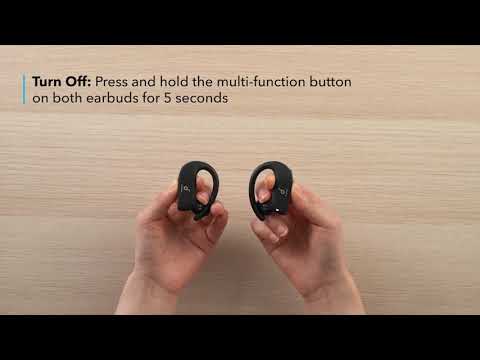
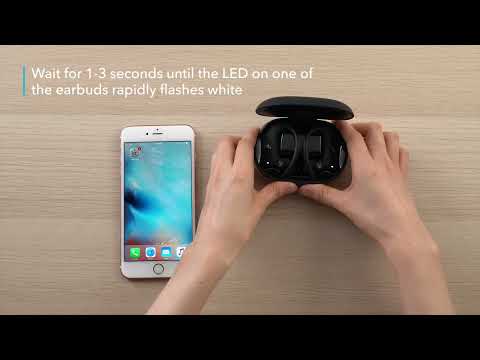
How can I reset the earbuds for Spirit X2?
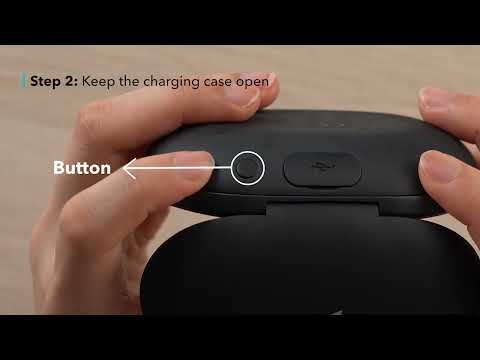
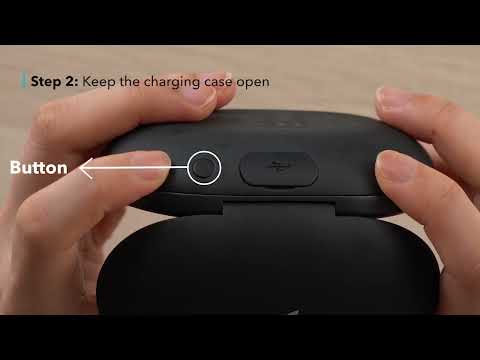
1. Place the earbuds in the charging case and open the cover. Press and hold the button on the case for 10 seconds. When you see a red light flash three times, this indicates that the reset is successful.
2. Delete Soundcore Spirit X2 and Soundcore Spirit X2-L from the Bluetooth list and turn off your phone's Bluetooth.
3. Turn on your phone's Bluetooth and pair Spirit X2.

If you have additional questions, please contact us at service@soundcore.com for further assistance. 
Unresolved icon
16 undefined
soundcore parts and accessories
34325 views1 likes/2025-04-08 16:00:05
How to Reset Your soundcore Headphones
59062 views5 likes/2025-04-08 16:03:59
Soundcore Warranty Policy
60019 views10 likes/2022-10-13 11:05:11
Parts and Accessories of soundcore Headphones
14313 views1 likes/2025-04-08 16:02:25
How to Identify Genuine soundcore Products
22476 views2 likes/2025-04-08 16:02:15
How to Clean soundcore Headphones
8858 views2 likes/2025-04-08 16:02:37
How can I reset the earbuds for Spirit X2?
1061 views1 likes/2025-04-08 16:01:29
Download icon
A3910 Liberty Air 2 User Manual
Download icon
A3910 Liberty Air 2 DOC
Download icon
A3910 Liberty Air 2 Quick Start Guide
Download icon
A3911 Liberty Neo DOC
Download icon
A3911 Liberty Neo User Manual
Download icon
A3912 Soundcore Liberty User Manual
View More
Play videoHow to Power Liberty Air 2 On/Off and Use the Controls
How to Power Liberty Air 2 On/Off and Use the Controls
Play videoHow to Pair Liberty Air 2
How to Pair Liberty Air 2
Play videoHow to Use HearID for Liberty Air 2
How to Use HearID for Liberty Air 2
Play videoHow to Use Wireless Charging for Liberty Air 2
How to Use Wireless Charging for Liberty Air 2
Play videoHow to Reset Liberty Air 2
How to Reset Liberty Air 2
Play videoHow to Wear and Clean Liberty Air 2
How to Wear and Clean Liberty Air 2
View More
Contact Us