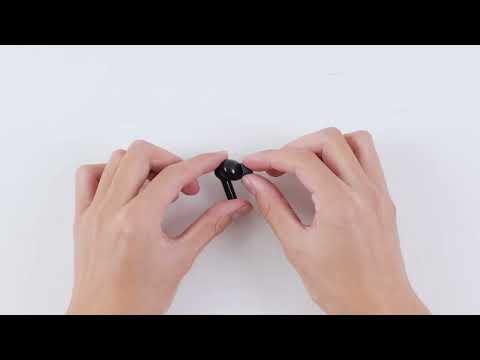
How can I clear pairing information and reset TWS (left and right) pairing for Life P2i?
- Place the earbuds in the charging case, open the lid of the charging case, press and hold the button of the charging case for 10 seconds until the LED flashes fast in red 3 times.
- Press the button for 3 to 4 seconds, and the LED will flash white fast. (Bluetooth pairing state)

If you have additional questions, please contact us at service@soundcore.com for further assistance.
Download icon
How can I clear pairing information and reset TWS (left and right) pairing for Life P2i?
Unresolved icon
16 undefined
Unlock Our New Easy-To-Use Warranty Service
258949 views374 likes/2025-04-08 16:02:12
soundcore parts and accessories
28218 views1 likes/2025-04-08 16:00:05
How to Reset Your soundcore Headphones
48276 views4 likes/2025-04-08 16:03:59
Parts and Accessories of soundcore Headphones
11443 views1 likes/2025-04-08 16:02:25
How to Identify Genuine soundcore Products
17599 views2 likes/2025-04-08 16:02:15
How to Clean soundcore Headphones
6631 views2 likes/2025-04-08 16:02:37
How to Maintain and Care for soundcore Headphones
5050 views2 likes/2025-04-08 16:02:59
Download icon
A3991 Life P2i Quick Start Guide
Download icon
A3991 Life P2i DOC
Download icon
A3991 Life P2i User Manual
Download icon
A3992C_soundcore_Life_A3i_Manual
Download icon
A3992 Life A3i Quick Start Guide
Download icon
EU Declaration of Conformity for soundcore A3i_A3992
View More
Play videoHow to Use Life P2i
How to Use Life P2i
Play videoHow to Clean Your Headphones
How to Clean Your Headphones
Play videoHow to Clean Your Headphones
How to Clean Your Headphones
Play videoHow to Clean Your Headphones
How to Clean Your Headphones
Contact Us