How Do I Pair Soundcore Rave Neo Speakers Together?
PartyCast wirelessly synchronizes your music across an almost unlimited number of PartyCast-compatible speakers.
To pair speakers together, follow the steps listed below.
PartyCast - Primary Speaker
- Turn on Rave Neo and connect it to your phone via Bluetooth.
- Once connected, press the PartyCast button for at least 3-5 seconds until it begins flashing.
- Connect additional speakers using the instructions below. The light on the primary speaker will flash at all times.
PartyCast - Secondary Speaker
- Turn on Rave Neo.
- Press the PartyCast button for at least 3-5 seconds until it begins flashing.
- Double-press the PartyCast button to begin pairing with the primary speaker. Allow 2-5 seconds for the speakers to connect.
- Once the PartyCast light turns a solid color, the speaker is successfully connected.
- Multiple Rave Neo speakers operate in the same way.
Note: Avoid having any electronic devices between the two speakers and make sure the distance between the two speakers is not greater than 5 meters.
If you have additional questions, please contact us at service@soundcore.com for further assistance.


20 undefined
Soundcore Warranty Policy


How to Pair soundcore Speakers via PartyCast?
Payments & Vouchers FAQ
How to Register Your E-Warranty Card in the Soundcore App
Guide to Locating the Serial Number (SN) of Your soundcore Speakers
soundcore Speakers with Multifunction Feature
Differences between Partycast 2.0 and Partycast 1.0
How to stop soundcore speaker from buzzing noise
How Do I Connect to the Soundcore App?
What if You Fail to Connect the Speaker to the Soundcore App?

A3395_Rave_Neo_Manual
A3395_Soundcore_Rave_Neo_Declaration_of_Conformity
A3395_Soundcore_Rave_Neo_QSG

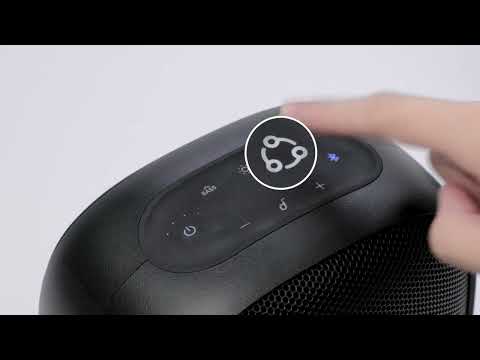
How to pair Motion Boom Plus with Rave Neo
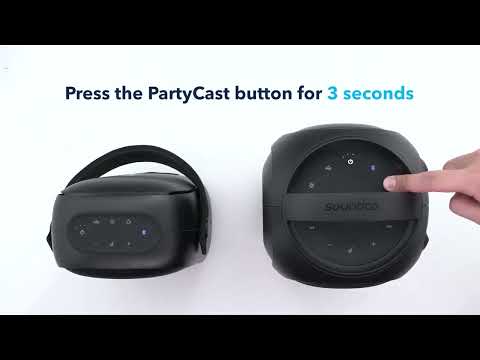
How to pair Rave Neo, Rave PartyCast, and Trance Go Speakers via PartyCast
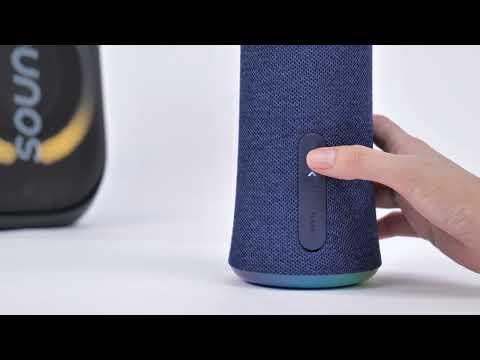
How to pair Rave Neo 2 and Flare 2 Speakers via PartyCast


