What should I do if the volume is low on one side of my Liberty Buds?

1. Use a cotton swab dipped in a small amount of topical alcohol to gently clean the sound outlet mesh/rear cavity vent holes.

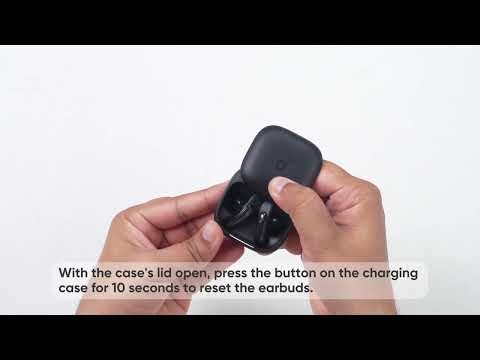
2. Fully charge and reset the earbuds as follows:

- Place the earbuds in the charging case and leave the case lid open.

- Press the button on the case for 10 seconds until the light flashes white three times, indicating a successful reset.

3. Check the audio balance on your phone.

On Android devices: Go to Settings > Accessibility > Audio and On-Screen Text > Audio > Balance.

Note: On Samsung devices: Go to Settings > Accessibility > Hearing Enhancements > Connected Audio.

On iOS devices: Go to Settings > Accessibility > Audio/Visual > Audio Balance.


Note: Moving the balance slider to the left increases the volume in the left earbud and decreases it in the right earbud, and vice versa.


If you encounter any other issues or your issue has not been resolved, please contact us for further assistance.

What should I do if the volume is low on one side of my Liberty Buds?
39 undefined
EU Declaration of Conformity for soundcore A3i_A3992
A3961 QSG V2(1)
UK&CA Declaration of Conformity for soundcore Liberty 4_A3953
EU Declaration of Conformity for soundcore Liberty 4_A3953
A3947_Liberty 4 NC_QSG
Liberty 4_A3953_QSG
View More
How to use Liberty 4 Wellness features
How to Wear Liberty 4 and Change Eartips
How to Pair and Reset Sport X10
How to solve a connection issue on Sleep A10
How to Connect to the Soundcore App and Update Firmware for Sport X10
How to Use Features On the Soundcore App for Sport X10
View More
Contact Us