1. Try out different ear wings and check that they seat well and create a tight seal in your ears. If they are not worn correctly, call quality may be affected.
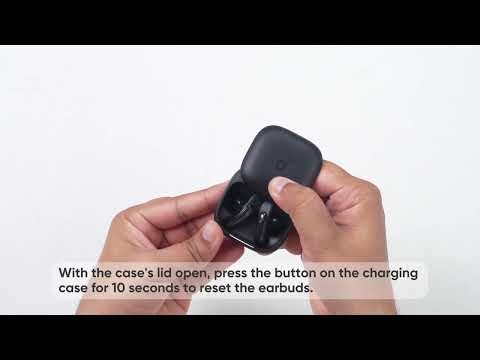
2. Follow these steps to reset your earbuds:
- Place the earbuds in the charging case and ensure the case lid remains open.
- Press and hold the button on the back of the charging case for 10 seconds. Hold until the LED indicator on the case flashes white rapidly three times. This confirms the reset was successful.
Note: Make sure both earbuds are placed correctly inside the charging case and that you see the white light flash. This confirms the connection was successful.
3. Ensure "soundcore Liberty Buds" is selected as the audio output on your connected device and increase the volume on your device.
4. If the call was made through an app, try using your phone's native calling feature instead to see if the issue persists.
5. Test the earbuds with a different Bluetooth device and in a different environment to see if there is any difference.
If you encounter any other issues or your issue has not been resolved, please contact us for further assistance.