I. How to fix charging or not connecting issues
If you're encountering any charging issues with your AeroClip, please try the following troubleshooting steps to resolve the problem efficiently.
1. Ensure the case's charging port and the cable connectors are clean and free of any debris.
2. Try a different charging cable. While the original cable is recommended, test with another cable to see if the issue persists.
3. Ensure that the output current of the charging adapter is sufficient. Check the required input current on the charging case and confirm the adapter's output exceeds it.
5. Inspect the pins inside the case for any debris and clean them if necessary.
6. Check if the pins inside the case are recessed or damaged.
7. Check the earbud pins for dirt or grime and clean them if necessary.
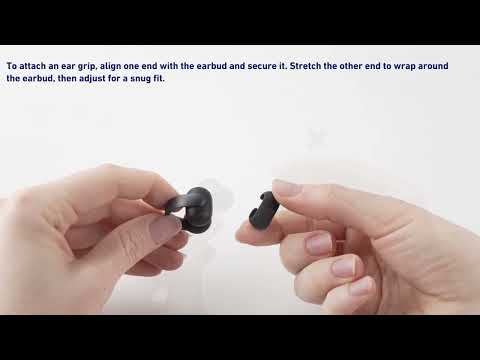
8. Ensure that the ear grips are properly installed and securely in place.

II. How to fix low volume issues
Additionally, if you’re experiencing low volume with your AeroClip earbuds, don’t worry—this guide will walk you through simple steps to resolve the issue. Below are practical solutions to ensure you enjoy optimal sound quality.
1. Adjust the wearing angle. If the speaker is too far from your ear canal, it may result in low volume. Adjust the earbuds to bring the speaker closer to your ear canal for better sound.
2. Check if the left and right earbuds are swapped. Wear them in the correct ears.
3. Check if the earbuds are worn backward. Make sure they’re correctly oriented.
4. Consider the environment. In noisy environments, the volume may seem lower. Try moving to a quieter area.
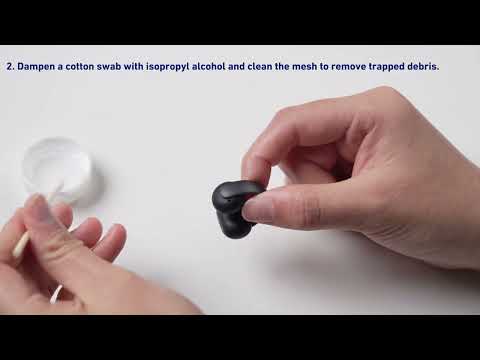
5. Check if the speaker is blocked. If so, clean it to restore optimal sound quality. Here is how to clean the speaker mesh:
- Brush the Mesh: Use a soft-bristled toothbrush or small brush to gently brush the mesh 3-5 times.
- Clean with Alcohol: Moisten a cotton swab with household alcohol to clean any dust or debris on the mesh.
- Remove Hidden Debris: If needed, use adhesive tape to press and lift off any dust or debris hidden inside the mesh holes. You can also use modeling clay to clean the speaker mesh of your earbuds. Modeling clay can effectively remove residual debris from the earbuds' components, helping to resolve the issue of low volume. (Ensure the clay remains pliable and non-drying during the cleaning process.) Repeat 2-3 times. Refer to the image below for guidance.

If you encounter any other issues or your issue has not been resolved, please contact soundcore customer support for further assistance.