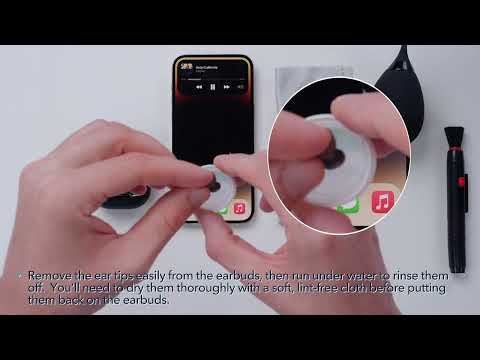
What should I do if any of the following problems occur for Life A3i or Life Dot 3i?
1. Cannot pair or reconnect with my device.
2. One side does not pair with the other side or my device.
3. No music plays after connecting with my device.
4. Only one earbud has sound.
Please try the following troubleshooting steps to see if there are helpful:
1. Remove the protective film covering the connectors on the earbuds.
2. Reboot the Bluetooth device, such as a phone or computer. Forget all the pairing records on your device and turn off Bluetooth.
3. Reset the earbuds by following the steps below (make sure your earbuds have enough battery):
- Place the earbuds into the charging case and keep the case open.
- Press and hold the button on the charging case for 10 seconds until the LED indicator on the charging case flashes red 3 times. This confirms that the reset is successful.
When resetting the earbuds, make sure the earbuds are well connected with the case, or it may cause the reset to fail. The LED will flash to indicate that they are properly connected (when the earbuds are placed in the charging case, the LED flashes white for 3 seconds).
4. Turn on the Bluetooth of your device, search for Soundcore Life A3i or Life Dot 3i, and pair.
If there is a pop-up window to confirm pairing for "Soundcore Life A3i or Life Dot 3i," please select "pair." If you accidentally pressed "cancel," you will need to refresh (turn off and then turn on) the Bluetooth of your device, then pair the earbuds again.
If you have additional questions, please contact us at service@soundcore.com for further assistance. Make sure to mention that you have tried the steps in this FAQ so our agents do not ask you to repeat them.
2. One side does not pair with the other side or my device.
3. No music plays after connecting with my device.
4. Only one earbud has sound.
Please try the following troubleshooting steps to see if there are helpful:
1. Remove the protective film covering the connectors on the earbuds.
2. Reboot the Bluetooth device, such as a phone or computer. Forget all the pairing records on your device and turn off Bluetooth.
3. Reset the earbuds by following the steps below (make sure your earbuds have enough battery):
- Place the earbuds into the charging case and keep the case open.
- Press and hold the button on the charging case for 10 seconds until the LED indicator on the charging case flashes red 3 times. This confirms that the reset is successful.
When resetting the earbuds, make sure the earbuds are well connected with the case, or it may cause the reset to fail. The LED will flash to indicate that they are properly connected (when the earbuds are placed in the charging case, the LED flashes white for 3 seconds).
4. Turn on the Bluetooth of your device, search for Soundcore Life A3i or Life Dot 3i, and pair.
If there is a pop-up window to confirm pairing for "Soundcore Life A3i or Life Dot 3i," please select "pair." If you accidentally pressed "cancel," you will need to refresh (turn off and then turn on) the Bluetooth of your device, then pair the earbuds again.
If you have additional questions, please contact us at service@soundcore.com for further assistance. Make sure to mention that you have tried the steps in this FAQ so our agents do not ask you to repeat them.


27 undefined

A3982C_soundcore_Life_Dot_3i_Manual

EU_Declaration_of_Conformity_for_soundcore_Dot_3i_A3982

A3982 Soundcore Dot 3i User Manual


How to Clean Your Headphones


How to Clean Your Headphones