What Should I Do If My Motion+ Cannot Auto-reconnect to the Last Paired Device?

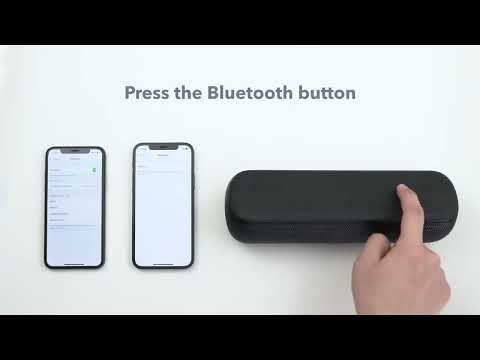
Generally, the Motion+ speaker can auto-reconnect to the last paired device without issues. If you encounter such problems, please first manually pair Motion+ with your device, and then turn off and turn on your device again to double check whether there are any problems with the auto connection.


If the issue persists, please try the following steps:

 
  • Clear all the pairing records on your device.
  • Reset the speaker by holding the "Volume+" and "Bluetooth" buttons for 5-10s simultaneously until Motion+ restarts.
 

If you still have any concerns or issues with reconnecting automatically, please contact Soundcore customer service and make sure to mention that you've tried the listed steps above for a quick and accurate solution.


Download icon
What Should I Do If My Motion+ Cannot Auto-reconnect to the Last Paired Device?
Unresolved icon
34 undefined
soundcore parts and accessories
29192 views1 likes/2025-04-08 16:00:05
Soundcore App Introduction
44044 views6 likes/2025-04-08 16:00:37
How Do I Connect to the Soundcore App?
26803 views3 likes/2025-04-08 16:00:47
How to reset a soundcore speakers
21201 views8 likes/2025-04-08 16:00:34
How Do I Customize the EQ on my Speaker?
21230 views1 likes/2025-04-08 16:00:04
soundcore speakers failed to connect with my devices
15018 views1 likes/2025-04-08 15:56:00
How to Pair Two Soundcore Motion+ Speakers Together?
10323 views3 likes/2025-04-08 16:00:47
How to charge and power on soundcore speakers
14350 views3 likes/2025-04-08 15:56:00
What if the Speaker is Not Charging?
7292 views1 likes/2025-04-08 16:00:08
Bluetooth connected but no sound in soundcore speakers
7991 views1 likes/2025-04-08 15:55:59
Download icon
A3116_Soundcore_Motion+_Manual
Download icon
soundcore Motion+ دليل المستخدم (A3116)
Download icon
soundcore Motion+ Uživatelská Příručka (A3116)
Download icon
soundcore Motion+ Brugervejledning (A3116)
Download icon
soundcore Motion+ Benutzerhandbuch (A3116)
Download icon
soundcore Motion+ Käyttöopas (A3116)
View More
Play videoHow to pair two devices with Motion+
How to pair two devices with Motion+
Play videoHow to pair Soundcore 3, Mini 3, and Flare 2 Speakers via PartyCast
How to pair Soundcore 3, Mini 3, and Flare 2 Speakers via PartyCast
Play videoHow to pair Motion Boom Plus with Soundcore 3
How to pair Motion Boom Plus with Soundcore 3
Play videoHow to pair Soundcore 3, Mini 3, and Flare 2 Speakers via PartyCast
How to pair Soundcore 3, Mini 3, and Flare 2 Speakers via PartyCast
Contact Us