How to reset Liberty Air 2 Pro ?
Here are the steps:
- Put both earbuds back into the charging case. Ensure both earbuds are charging (LEDs on the earbuds are blinking). Make sure you leave the charging case open.
- Press the button on the back of the charging case for 10 seconds until you see a red light flash 3 times on both earbuds. Then release the button.
- Leave the case open. Wait until you see one light flash fast and the other flash slowly.
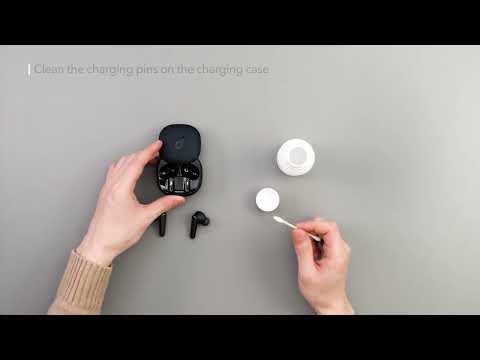
You can also click on the following link which shows how to reset your earbuds:
If you have additional questions, please contact us at service@soundcore.com for further assistance.

How to reset Liberty Air 2 Pro ?


35 undefined
Unlock Our New Easy-To-Use Warranty Service
257765 views/
367 likes/2025-04-08 16:02:12
soundcore parts and accessories
27717 views/
1 likes/2025-04-08 16:00:05
How to Reset Your soundcore Headphones
47427 views/
4 likes/2025-04-08 16:03:59
Guide to Locating the Serial Number (SN) of Your soundcore Headphones
51860 views/
6 likes/2024-08-16 18:04:10
How to Solve Common Issues with True Wireless Earbuds
16058 views/
1 likes/2025-04-08 16:15:47
Soundcore Warranty Policy
56188 views/
10 likes/2022-10-13 11:05:11
Parts and Accessories of soundcore Headphones
11190 views/
1 likes/2025-04-08 16:02:25
How to Identify Genuine soundcore Products
17176 views/
2 likes/2025-04-08 16:02:15
How to Fix No Sound When Using soundcore Headphones With a PC
5578 views/
1 likes/2025-04-08 16:00:48
How to reset Liberty Air 2 Pro ?
2108 views/
1 likes/2025-04-08 16:01:01

Liberty Air 2 Pro A3951 User Manual

A3951 Liberty Air 2 Pro DOC

A3952 Liberty 3 Pro Quick Start Guide

A3952 Liberty 3 Pro DOC

A3952 Liberty 3 Pro User manual

Liberty 4_A3953_QSG
View More


Liberty Air 2 Pro - Escape Into Pure Sound


How To Use Soundcore Liberty Air 2 Pro


How to Power Liberty Air 2 Pro and Use the Controls


How to Use HearID and Custom EQ of Liberty Air 2 Pro


How to Update Liberty Air 2 Pro’s Firmware


How to Switch Between Modes in the Soundcore App for Liberty Air 2 Pro A3951
View More