How to Stream Videos From Your Windows 10/11 PC to an Android TV Projector?
You can stream videos from a Windows 10 PC to your Android TV projector by using the Chrome browser through the following steps:
1. The Windows 10 computer and the projector are connected to the same network. Please note the network can be a WiFi network or your phone's hotspot.
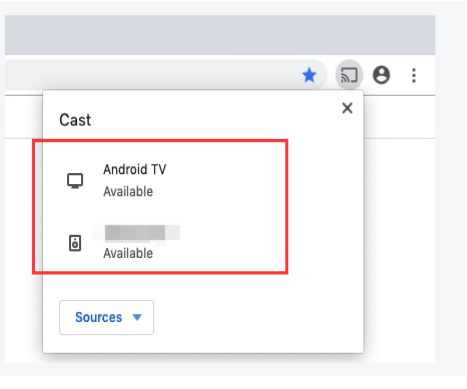
2. Open Chrome browser on your Windows 10 computer, at the top right corner of the browser, click More > Cast.

3. Choose your Chromecast device where you want to watch the content, then the content will show on the Android TV projector.
If you have additional questions, please contact us for further assistance.


148 undefined
How to Mirror or Stream Videos from an iOS Device to an Android TV Projector


How to Install and Use Netflix on Nebula Projectors (Android TV System)
How to Connect a Computer or Smartphone to a Nebula Projector through an HDMI Cable?
How to Mirror or Stream Videos from an Android Device to an Android TV Projector
How to Connect an External Speaker to Your Projector (Android TV System)
New Firmware Release
How to Watch Videos Stored on a USB Flash Drive on a Nebula Projector with Android TV System
How to Connect the Nebula Connect App to Your Nebula Projector?
How to Choose the Right Tripod or Stand for Nebula Projectors?
How to Fix HDMI No Signal or Unstable Signal Issue

D2350_Cosmos Laser 4K_Manual
【D2350】Nebula Cosmos Laser 4K EU Declaration
soundcore Cosmos Laser 4K User Guide (D2350)
Nebula Wireless Satellite Speaker QSG
Wireless Mircophone QSG
Nebula X1 QSG
View More

How to Update Your Firmware?

How to Screen Mirror and Cast Content from Your iPhone and Android Phone?
Set up Remote Buttons
Auto & Manual Focus
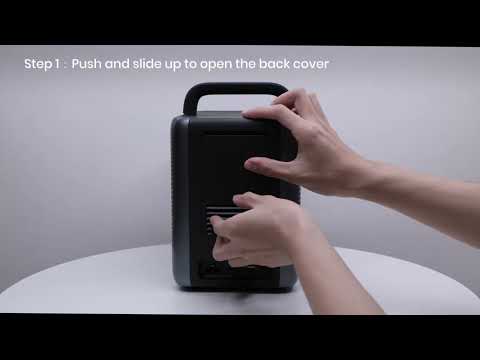
How to Install the 4K Dongle?
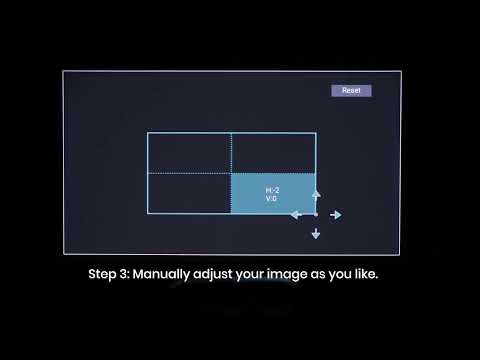
Manual Keystone Correction
View More


