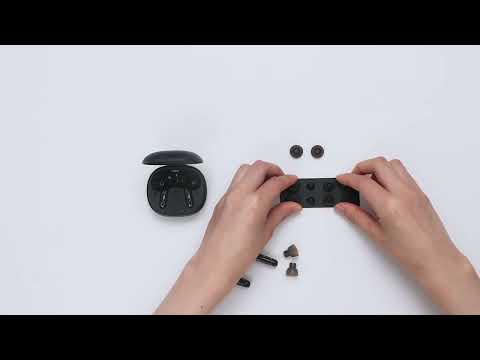
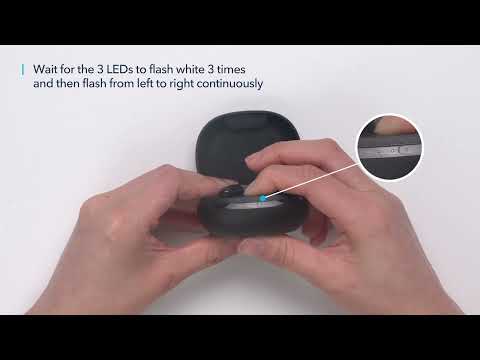
How to Make a Call With a Better Microphone
Try the following troubleshooting:
- Make sure you have raised both the volume of the earbuds and the connected device to the maximum.
- Make sure you're wearing the earbuds in the correct position to create a tight seal.
- Try switching to your phone's microphone and make a call to see if the problem still persists.
If you have additional questions, please contact us at Service@soundcore.com for further assistance. Make sure to mention that you have tried the steps in this FAQ so our agents do not ask you to repeat these steps.


24 undefined
soundcore parts and accessories 34388 views 1 likes/2025-04-08 16:00:05
How to Reset Your soundcore Headphones 59170 views 6 likes/2025-04-08 16:03:59
Guide to Locating the Serial Number (SN) of Your soundcore Headphones 58416 views 7 likes/2024-08-16 18:04:10
How to Solve Common Issues with True Wireless Earbuds 22575 views 1 likes/2025-04-08 16:15:47
Soundcore Warranty Policy 60057 views 10 likes/2022-10-13 11:05:11
Parts and Accessories of soundcore Headphones 14336 views 1 likes/2025-04-08 16:02:25
How to Identify Genuine soundcore Products 22532 views 2 likes/2025-04-08 16:02:15
How to Fix No Sound When Using soundcore Headphones With a PC 7986 views 1 likes/2025-04-08 16:00:48
How to Clean soundcore Headphones 8883 views 2 likes/2025-04-08 16:02:37
What should I do if any of the following problems occur with Life P3 earbuds? 5315 views 1 likes/2025-04-08 16:01:10

A3930 Liberty 2 Pro Upgraded Version Quick Start Guide

A3930 Liberty 2 Pro Upgraded Version DOC

A3930 Liberty 2 Pro Upgraded Version User Manual

A3931 Life Dot 2 NC Quick Start Guide

A3931 Life Dot 2 NC DOC

A3931 Life Dot 2 NC User Manual
View More


How to Wear the Liberty 2 Pro Upgraded Version Correctly


How to Use HearID for Liberty 2 Upgraded Version


How to Pair Liberty 2 Pro Upgraded Version


How to Reset Liberty 2 Pro Upgraded Version


How to Replace the EarWings and EarTips on Liberty 2 Pro Upgraded Version


How to Power Liberty 2 Pro Upgraded Version On/Off and Use the Controls
View More