What if there are no differences between Noise Cancellation modes?

Try the following troubleshooting: 

 
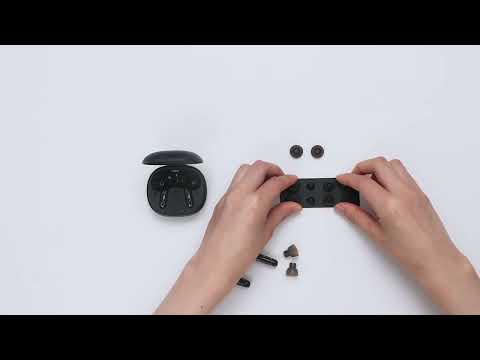
  1. Try different sizes of the ear tips that come with the earbuds and make sure you're wearing the earbuds in the correct position so that they create a tight seal. This will enhance the noise cancellation effect.
  2. The three noise cancelling modes are optimized according to different usage scenarios. They can be selected and switched in the Soundcore app, however, the difference may not be too obvious in a quiet environment.
 

Transport Mode: Suitable for noisy environments such as airplanes/trains. 

Indoor Mode: Suitable for a relatively quiet indoor environment such as offices/coffee shops. 

Outdoor Mode: Reduces outdoor environmental noise considerably.


If you have additional questions, please contact us at Service@soundcore.com for further assistance. Make sure to mention that you have tried the steps in this FAQ so our agents do not ask you to repeat these steps.


Download icon
What if there are no differences between Noise Cancellation modes?
Unresolved icon
24 undefined
soundcore parts and accessories
28993 views1 likes/2025-04-08 16:00:05
How to Reset Your soundcore Headphones
49595 views5 likes/2025-04-08 16:03:59
How to Solve Common Issues with True Wireless Earbuds
17313 views1 likes/2025-04-08 16:15:47
Soundcore Warranty Policy
56946 views10 likes/2022-10-13 11:05:11
Parts and Accessories of soundcore Headphones
11826 views1 likes/2025-04-08 16:02:25
How to Identify Genuine soundcore Products
18267 views2 likes/2025-04-08 16:02:15
How to Clean soundcore Headphones
6935 views2 likes/2025-04-08 16:02:37
Download icon
A3930 Liberty 2 Pro Upgraded Version Quick Start Guide
Download icon
A3930 Liberty 2 Pro Upgraded Version DOC
Download icon
A3930 Liberty 2 Pro Upgraded Version User Manual
Download icon
A3931 Life Dot 2 NC Quick Start Guide
Download icon
A3931 Life Dot 2 NC DOC
Download icon
A3931 Life Dot 2 NC User Manual
View More
Play videoHow to Wear the Liberty 2 Pro Upgraded Version Correctly
How to Wear the Liberty 2 Pro Upgraded Version Correctly
Play videoHow to Use HearID for Liberty 2 Upgraded Version
How to Use HearID for Liberty 2 Upgraded Version
Play videoHow to Pair Liberty 2 Pro Upgraded Version
How to Pair Liberty 2 Pro Upgraded Version
Play videoHow to Reset Liberty 2 Pro Upgraded Version
How to Reset Liberty 2 Pro Upgraded Version
Play videoHow to Replace the EarWings and EarTips on Liberty 2 Pro Upgraded Version
How to Replace the EarWings and EarTips on Liberty 2 Pro Upgraded Version
Play videoHow to Power Liberty 2 Pro Upgraded Version On/Off and Use the Controls
How to Power Liberty 2 Pro Upgraded Version On/Off and Use the Controls
View More
Contact Us