LDAC is a Bluetooth encoding format that can transmit 3 times the amount of data of ordinary Bluetooth SBC. On soundcore Motion X600, LDAC applies only to Android 8.0 or later.
Just follow the steps below to activate LDAC:
1. Download the soundcore app.
The soundcore app is available on iOS and Android devices. It can be installed from the Google Play Store or the Apple App Store.
2. Pair your Motion X600 with your phone via the soundcore app.
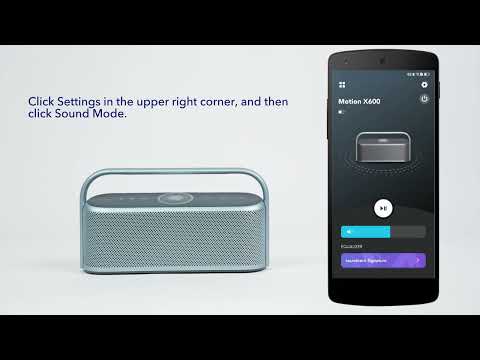
Pair your soundcore Motion X600 with your phone and enter the Motion X600 app interface. To enable LDAC, go to Settings > Sound Mode > Preferred Audio Quality (LDAC).
Notes:
• It takes about 10 seconds to switch audio codecs. You may be required to update the speaker's firmware if available. Do not use the app or speaker while updating.
• LDAC provides higher-quality sound but increases power consumption and reduces playtime.
• Enable LDAC in a low-interference environment to ensure a stable Bluetooth connection.
You can refer to the video below.
If you have additional questions, please contact us at service@soundcore.com for further assistance.