How should I wear or hold soundcore Work?

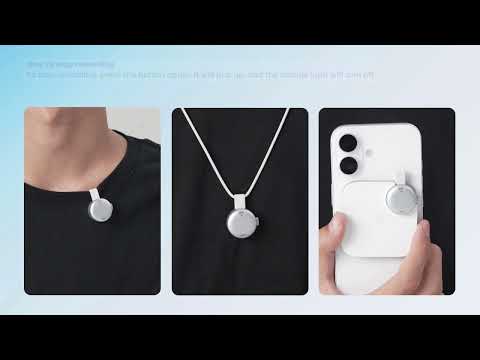
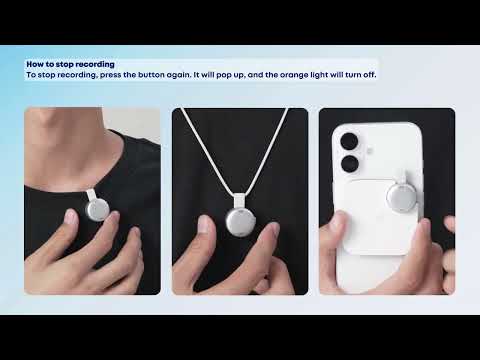
soundcore Work offers three usage modes to easily meet the needs of different scenarios.


Gently lift the recorder by holding the connection strap, then pinch the recorder and gently twist it to easily separate the main unit from the magnetic disc.


Usage modes are as follows:

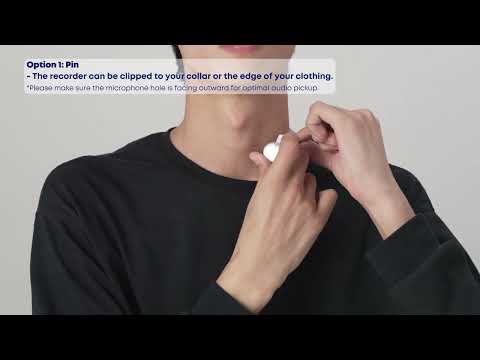
1. Lapel Clip Mode

You can wear the recorder on your collar or the edge of your clothing. When using, ensure the microphone hole faces outward to ensure better sound pickup.


2. Pendant Mode

When wearing thick clothing, you can hang the recorder on a necklace and adjust the length of the chain to suit your needs.

Note: An adjustable necklace cord is included in the packaging.


3. Magnetic Attachment Method

Place the recorder in the charging case, which will attach magnetically to the back of your phone.

Note: For iPhones, the recorder can be directly attached to the back of the phone. For Android phones, first attach the magnetic ring from the accessory box to the back of the phone, then attach the charging case to the magnetic ring.


If you encounter any other issues or your issue has not been resolved, please contact us for further assistance.

Download icon
How should I wear or hold soundcore Work?
Unresolved icon
51 undefined
Download icon
soundcore Work Benutzerhandbuch (D3200)
Download icon
【D3200】【soundcore Work】EU Declaration
Download icon
soundcore Work Guía del Usuario (D3200)
Download icon
soundcore work Ръководство за потребителя (D3200)
Download icon
soundcore Work Guida per L'utente (D3200)
Download icon
soundcore Work Korisničko uputstvo (D3200)
View More
Play video[All in one] How to Use soundcore Work | soundcore Support
[All in one] How to Use soundcore Work | soundcore Support
Play videoFirst-Time Setup: Activating and Connecting Your Device | soundcore Support
First-Time Setup: Activating and Connecting Your Device | soundcore Support
Play videoGetting Ready to Record: How to Wear and Use theDevice | soundcore Support
Getting Ready to Record: How to Wear and Use theDevice | soundcore Support
Play videoCharging soundcore Work | soundcore Support
Charging soundcore Work | soundcore Support
Play videoRecording Controls: Start, Stop, and Mark Key Moments | soundcore Support
Recording Controls: Start, Stop, and Mark Key Moments | soundcore Support
Play videoTransferring Audio Recordings for Review, Transcripption, and Summarization | soundcore Support
Transferring Audio Recordings for Review, Transcripption, and Summarization | soundcore Support
View More
Contact Us