How do I clean my soundcore Work device?
1. Use a soft, lint-free cloth to clean the recorder body and remove surface dust.
2. If the recorded sound is too low, use a soft brush to gently sweep the microphone hole and remove the obstructions.
3. If charging is unstable, use a lint-free cloth to clean the charging contacts inside the charging compartment and on the recorder.
If you encounter any other issues or your issue has not been resolved, please contact us for further assistance.


20 undefined
How should I wear or hold soundcore Work?


How do I turn on soundcore Work?
How do I put the soundcore Work recorder into Sleep Mode?
How can I link my soundcore Work to another account?
How do I avoid losing soundcore Work recording data?
Why do the recorder and charging case consume power even when they are not recording or transferring data?
How do I reset my soundcore Work device?

soundcore work User Guide (D3200)
soundcore Work Benutzerhandbuch (D3200)
【D3200】【soundcore Work】EU Declaration
soundcore Work İstifadəçi təlimatı (D3200)
soundcore Work Guide de l'utilisateur (D3200)
soundcore work Ръководство за потребителя (D3200)
View More


[All in one] How to Use soundcore Work | soundcore Support

First-Time Setup: Activating and Connecting Your Device | soundcore Support

Getting Ready to Record: How to Wear and Use theDevice | soundcore Support
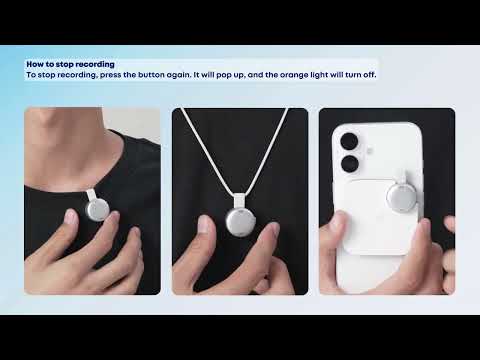
Recording Controls: Start, Stop, and Mark Key Moments | soundcore Support

Transferring Audio Recordings for Review, Transcripption, and Summarization | soundcore Support

Transcribing and Summarizing Your Recordings for Easy Review | soundcore Support
View More


