How to pair soundcore Rave Neo 2 with soundcore 3

PartyCast wirelessly synchronizes your music across an almost unlimited number of PartyCast-compatible speakers.


To pair speakers together, follow the steps listed below.


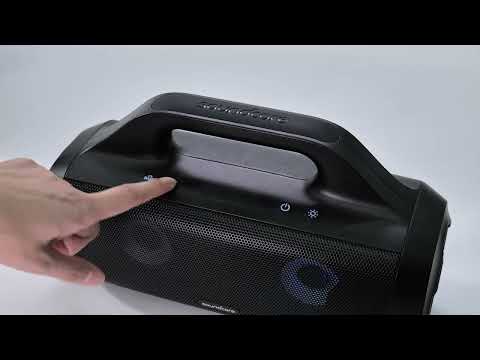
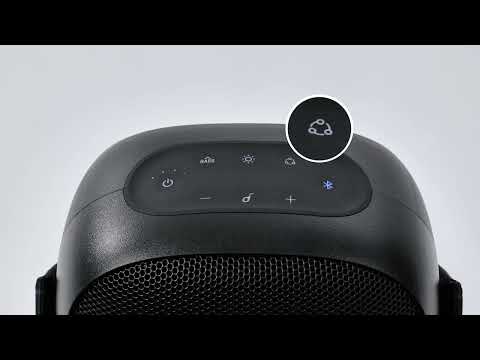
1. Connect your phone to Rave Neo 2 via Bluetooth. Press the PartyCast™ button, and you will see a steady white light.


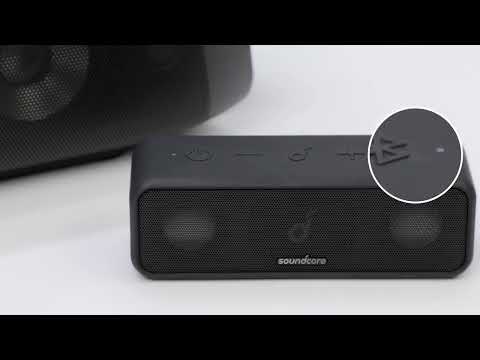
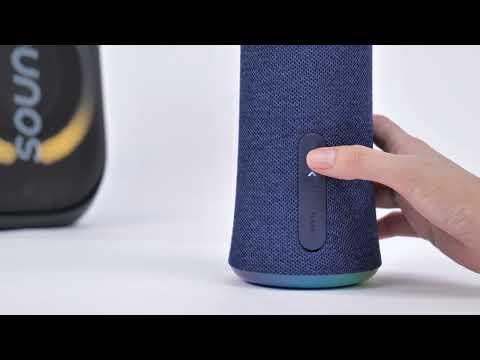
2. Turn on soundcore 3, hold the Bluetooth button for 2 seconds until the white light flashes. Next, press the Bluetooth button twice, and you will see the white light flash quickly.


3. Wait for a few seconds, and a steady white light will appear on soundcore 3. This indicates pairing was successful.


4. Press the PartyCast™ button on Rave Neo 2 twice. Your phone will play music, and both speakers will sound at the same time.


Note: Avoid having any electronic devices between the two speakers and make sure the distance between the two speakers is not greater than 5 meters.


If you have additional questions, please contact us for further assistance.
Download icon
How to pair soundcore Rave Neo 2 with soundcore 3
Unresolved icon
49 undefined
Unlock Our New Easy-To-Use Warranty Service
261374 views383 likes/2025-04-08 16:02:12
Soundcore App Introduction
44118 views6 likes/2025-04-08 16:00:37
How Do I Connect to the Soundcore App?
26865 views3 likes/2025-04-08 16:00:47
How to reset a soundcore speakers
21238 views8 likes/2025-04-08 16:00:34
Soundcore Warranty Policy
57095 views10 likes/2022-10-13 11:05:11
How Do I Customize the EQ on my Speaker?
21282 views1 likes/2025-04-08 16:00:04
soundcore speakers failed to connect with my devices
15055 views1 likes/2025-04-08 15:56:00
How to charge and power on soundcore speakers
14371 views3 likes/2025-04-08 15:56:00
What if the Speaker is Not Charging?
7304 views1 likes/2025-04-08 16:00:08
Bluetooth connected but no sound in soundcore speakers
8009 views1 likes/2025-04-08 15:55:59
Download icon
A33A1_Rave Neo 2 SE_QSG (CA-Costco Customized Version)
Download icon
A33A1 Rave Neo 2 SE Manual (CA-Costco Customized Version)
Download icon
A33A1_Rave Neo 2_QSG
Download icon
A33A1_Rave Neo 2_Manual
Download icon
【A33A1】soundcore Rave Neo 2 EU Declaration
Download icon
soundcore Rave Neo 2 User Guide (A33A1)
View More
Play videoHow to pair Rave Neo 2 with Select Pro
How to pair Rave Neo 2 with Select Pro
Play videoHow to pair Rave Neo 2 with Rave Neo
How to pair Rave Neo 2 with Rave Neo
Play videoHow to pair Rave Neo 2 with Flare 2
How to pair Rave Neo 2 with Flare 2
Play videoHow to pair Rave Neo 2 with Rave PartyCast
How to pair Rave Neo 2 with Rave PartyCast
Play videoHow to pair two devices with Motion+
How to pair two devices with Motion+
Play videoHow to pair Soundcore 3, Mini 3, and Flare 2 Speakers via PartyCast
How to pair Soundcore 3, Mini 3, and Flare 2 Speakers via PartyCast
View More
Contact Us