How Does the Smart Volume Control Feature Work and How to Activate It

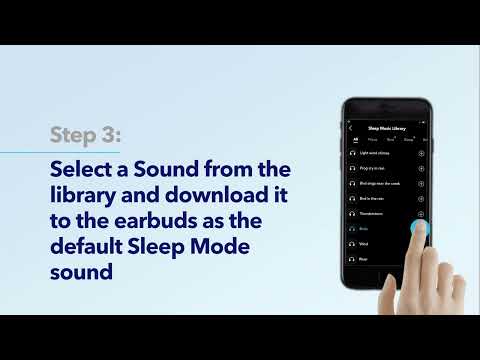
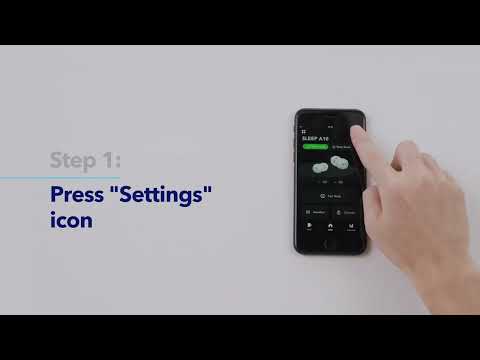
When the Smart Volume Control feature is enabled, the earbuds automatically start playing sleep music. When the external noise changes, Sleep A10 automatically adjusts the volume of white noise according to the external noise level. You can activate this feature in the soundcore app.

Note: This feature only works in sleep mode and activates when the user has fallen asleep.


If you have any more issues or your issue has not been resolved, please contact us for further assistance.
How Does the Smart Volume Control Feature Work and How to Activate It
30 undefined
Unlock Our New Easy-To-Use Warranty Service
254642 views/347 likes/2025-04-08 16:02:12
How to Reset Your soundcore Headphones
45216 views/3 likes/2025-04-08 16:03:59
Parts and Accessories of soundcore Headphones
10523 views/1 likes/2025-04-08 16:02:25
How to Clean soundcore Headphones
5954 views/2 likes/2025-04-08 16:02:37
How to Maintain and Care for soundcore Headphones
4601 views/2 likes/2025-04-08 16:02:59
soundcore Sleep A10 Earbuds FAQ
1942 views/1 likes/2025-04-08 16:02:05
EU Declaration of Conformity for soundcore A3i_A3992
A3961 QSG V2(1)
UK&CA Declaration of Conformity for soundcore Liberty 4_A3953
EU Declaration of Conformity for soundcore Liberty 4_A3953
A3947_Liberty 4 NC_QSG
Liberty 4_A3953_QSG
View More
How to use Liberty 4 Wellness features
How to Wear Liberty 4 and Change Eartips
How to Pair and Reset Sport X10
How to solve a connection issue on Sleep A10
How to Connect to the Soundcore App and Update Firmware for Sport X10
How to Use Features On the Soundcore App for Sport X10
View More
Contact Us