The sound quality can be a subjective thing, but everyone wants the best for their personal preferences. There are equalizer setting steps for your Liberty 3 Pro. Let's get started!
Step 1:
Open the latest soundcore app on your phone.
Step 2:
Connect to Liberty 3 Pro.
Step 3:
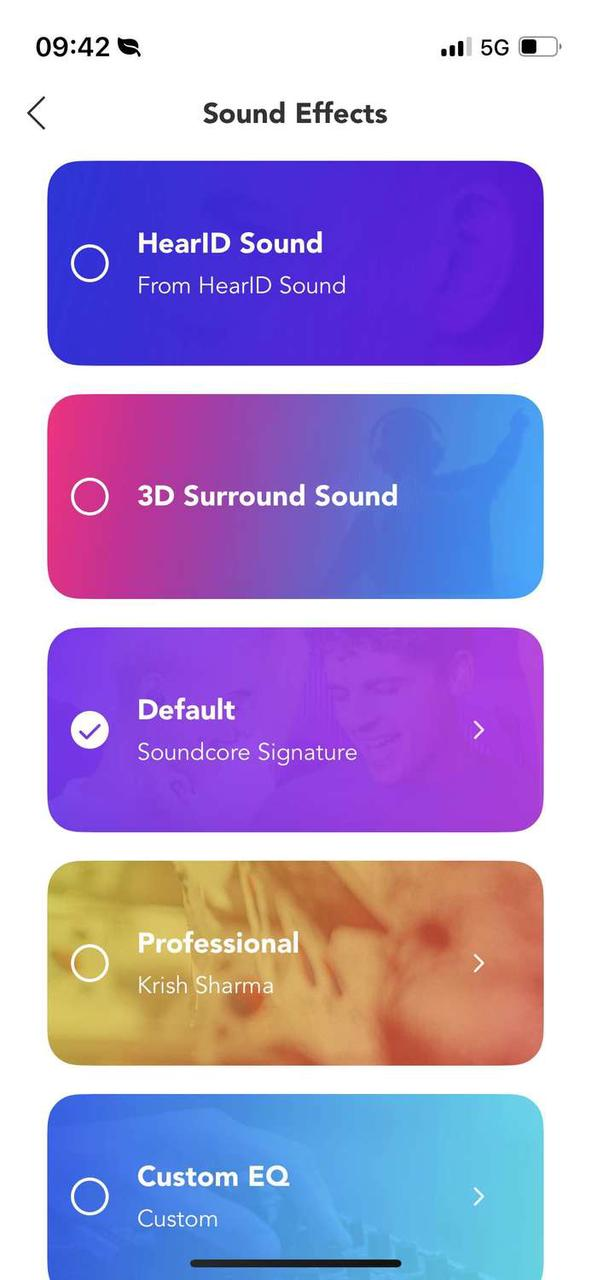
Click Sound Effects.
① Default-Soundcore Signature
Soundcore Signature is a special preset recommended by the Soundcore team. There are 20+ other popular EQ presets like Rock, Jazz, or R&B for you to choose from. If you prefer higher bass, try Sound Effects > Default > Bass Booster.


② HearID Sound
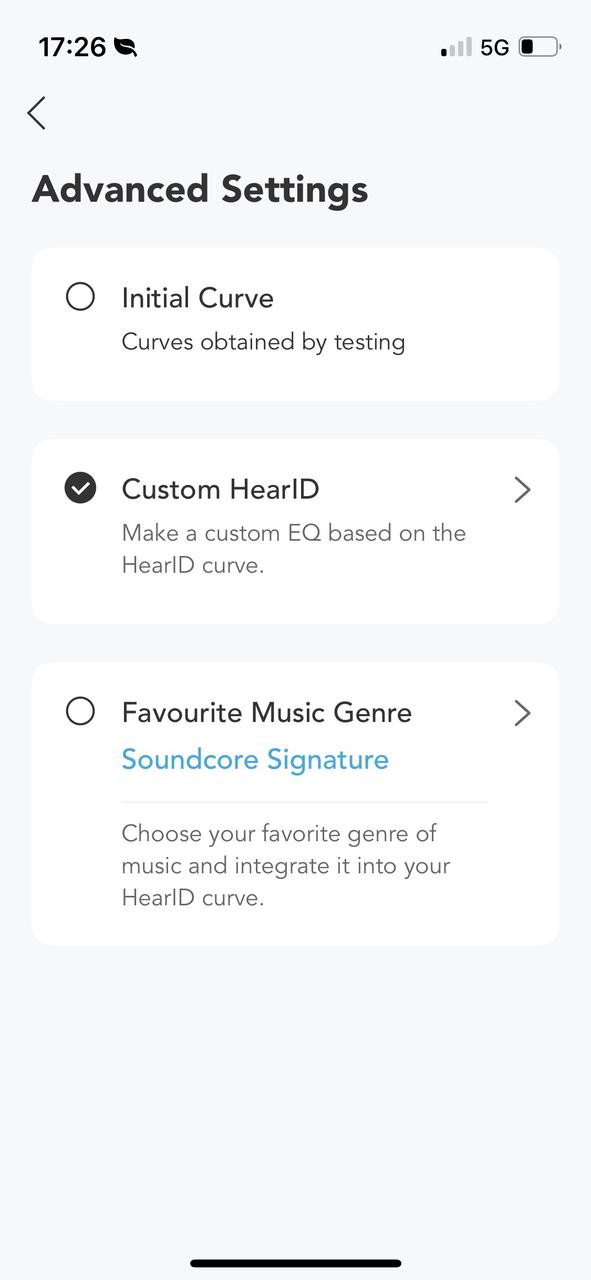
To enjoy a personalized hearing experience, go to HearID Test > HearID Sound Test to assess your hearing ability and get a personalized HearID profile. Then, go to Sound Effects > HearID Sound to enable it or click Advanced Settings to create a custom EQ based on the HearID curve.

③ 3D Surround Sound
If you want to experience an immersive audio experience that mimics reality, go to Sound Effects > 3D Surround Sound to activate the feature.
④ Professionally Tuned EQ Settings
If you want to try out the EQs' created by GRAMMY-winning music producers, go to Sound Effects > Professional, and you will find 14 options in total.
Song Recommendations by GRAMMY-Winning Music Producers
Here are some songs that the producers recommend their EQs for:
- Krish Sharma suggested listening to the Blue & Lonesome album by The Rolling Stones and an EDM track known as Black Coffee.
- Cassidy Turbin suggested listening to most modern music styles.
- Alex Pasco suggested listening to organic rock and indie music.
- Riley Mackin suggested listening to hip hop and synth bass-driven music.

⑤ Custom EQ
You can also customize the sound manually with the EQ settings by going to Sound Effects > Custom EQ. Then click "+" and name your EQ profile and adjust the sliders according to your preference.

If you encounter any issue during the process, please email us for further assistance.