What should I do if the firmware update on my soundcore Space 2 fails?
-
Do not disconnect during the firmware update.
-
Do not disconnect from the network during the firmware update.
-
Do not close the app during the firmware update.
-
Ensure the headphones remain in standby during the firmware update.
-
Navigate to Phone Settings, access the application management interface, and clear the soundcore app cache.
-
Try updating again.
If you encounter any other issues or your issue has not been resolved, please contact us for further assistance.


26 undefined
soundcore Space 2 Specs, Features, and Compatibility


soundcore Space 2 Setup and Basic Operations Guide
soundcore Space 2 soundcore App Setup and Features
Sound Settings and Audio Troubleshooting on soundcore Space 2
What should I do if I experience call issues with my soundcore Space 2?
Using ANC and Ambient Sound Mode on soundcore Space 2
What should I do if the firmware update on my soundcore Space 2 fails?
How do I connect my soundcore Space 2 using the AUX cable?
What should I do if the left and right audio levels on my soundcore Space 2 sound unbalanced?
Why Does My soundcore Space 2 Keep Showing "Please Connect the soundcore App"?

soundcore Space 2 User Guide (D1402)
soundcore Space 2 Benutzerhandbuch (D1402)
soundcore Space 2 取扱説明書 (D1402)
soundcore Space 2 사용자 가이드 (D1402)
【D1402】【soundcore Space 2】EU Declaration
soundcore Space 2 Kullanım Kılavuzu (D1402)
View More


soundcore Space 2 | Unboxing and Getting Started)

soundcore Space 2 | Wear Detection and Nap Mode Setup & Usage
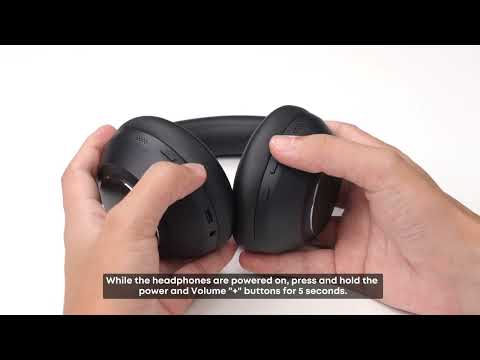
How to reset the Anker Space 2 Pro?
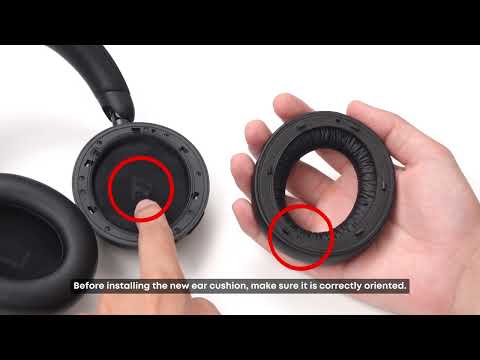
How do I replace the ear cushions on the Anker Space 2 Pro?
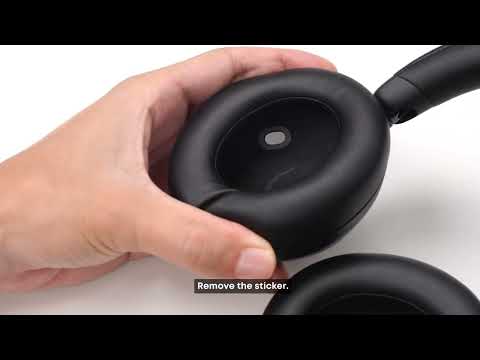
Unboxing and Maintenance for Anker Space 2 Pro
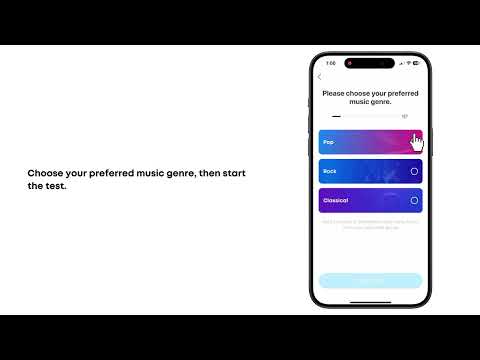
Connection and Features for Anker Space 2 Pro


