How to Download sleep sounds for soundcore Sleep A20

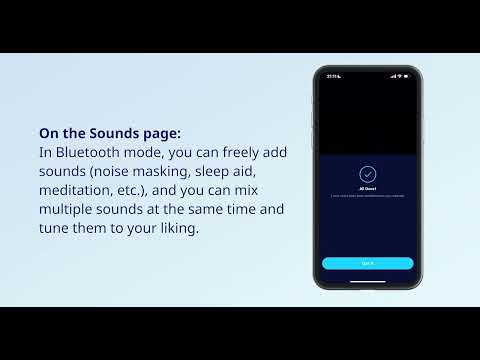
You have to download sleep sounds in music mode. You can't download sleep sounds in sleep mode and importing third-party audio sources is not supported. 


To download sleep sounds, follow these steps:

1. Download sleep sounds in Bluetooth mode. 

Note: You can't download sleep sounds in Sleep mode and importing third-party audio sources is not supported.

2. The sleep sounds can be downloaded in 4 combinations, with up to three combinations of sleep sounds sources per group.


If you have any more issues or your issue has not been resolved, please contact us for further assistance.

Unresolved icon
20 undefined
Download icon
【A6611】【Sleep A20】EU Declaration
Download icon
Soundcore Sleep A20 取扱説明書 (A6611)
Download icon
soundcore Sleep A20 Przewodnik Użytkownika (A6611)
Download icon
soundcore Sleep A20 Brugervejledning (A6611)
Download icon
soundcore Sleep A20 Uživatelská Příručka (A6611)
Download icon
soundcore Sleep A20 用户指南 (A6611)
View More
Play video
How to Use Sleep A20 on the soundcore App | soundcore Support
Play video
Unboxing and Wearing Sleep A20 | soundcore Support
Play video
How to Connect the Sleep A20 to Bluetooth | soundcore Support
Play video
How to Deep Clean Your Sleep A20 | soundcore Support
Play video
How to Re-Pair or Reset Sleep A20 | soundcore Support
Contact Us