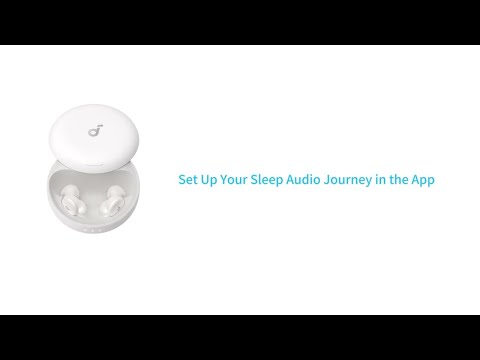
We have made a list of soundcore Sleep A30 Special
frequently asked questions from our valued customers. This FAQ includes links to articles where you can find more information.
1. What is the Bluetooth version?
Bluetooth 5.4
2. Which audio formats are supported?
SBC and AAC
3. What is the battery capacity of the earbuds?
42 mAh per earbud; takes approximately 90 minutes to reach full charge
4. What is the battery capacity of the charging case?
800mAh; takes 120 minutes to reach full charge. (Input Power: 5V ⎓ 1A)
5. How long do the earbuds last?
By default, the earbuds offer 10 hours of playback, extending to up to 50 hours with the charging case.
Battery life by usage scenario:
1. Bluetooth audio + ANC on pre-sleep (1.5H) and Local audio + ANC Off once sleep is detected: 10H total
2. Bluetooth audio + ANC on pre-sleep (1.5H) and Local audio off + ANC on once sleep is detected: 8H total
3. Bluetooth audio + ANC on: 7H
4. Local audio + ANC on: 9H
5. Local audio + ANC off: 16H
Note: Tested at the soundcore lab with volume set to 50%.
6. What is the waterproof rating?
Earbuds: IPX4 (sweat and splash resistant)
Charging case: Not water resistant
7. Does it have wear detection?
No wear detection
8. What are the charging methods?
USB-C wired charging (wireless charging not supported)
9. Is there a fast charging function?
No fast charging function
10. What is the Bluetooth range?
33 ft/10 m
11. What is the maximum volume?
89dB in both Bluetooth and local modes
12. How many times can I charge my earbuds with Sleep A30 Special's charging case?
4 times
13. Do the earbuds support wireless charging?
Not supported
14. How do I turn on my Sleep A30 Special?
- The earbuds turn on automatically when the charging case is opened.
- For first-time use, remove the insulating sheet under the earbuds, place the earbuds back into the charging case, and then open and close the case to turn them on.
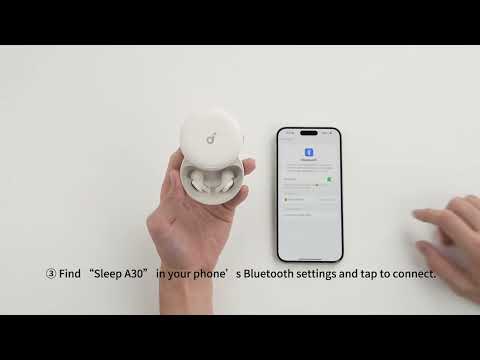
15. How does Sleep A30 Special connect to the soundcore app?
- On your device's Bluetooth settings, tap “Sleep A30” to pair.
- Open the soundcore app > Add Device > Sleep A30 to connect to the soundcore app.
16. How do I pair the earbuds?
Press and hold for 3 s to enter pairing mode. The second LED light will start flashing until pairing is successful, and then turn off after 1 s. If no device is connected within 5 min and pairing times out, the LED light will turn off.
Flashing behavior: 200 ms on, 200 ms off in a repeating cycle.
17. What can I do if the Sleep A30 Special prompt tone is too loud?
You can turn it off in the app settings.
18. How do I turn the tapping feature off?
Select “Tap Control” to enter settings, then toggle the feature on/off in the desired mode.
If you encounter any other issues or your issue has not been resolved, please contact us for further assistance.