What should I do if the earbuds won’t turn on after being taken out of the case?

1. Ensure that the ear tips and ear wings are properly attached and not blocking the charging pins. Insert both earbuds securely into the charging case. The indicators should light up to indicate the earbuds are connected.

2. Use a dry cloth or a cotton swab with a small amount of alcohol to gently clean the charging pins inside the case and on the earbuds. This ensures a better connection.

3. Use a different charging cable and wall adapter to fully charge the case. Make sure the case is charging properly.


If your earbuds have not been used for a long time, charge them for at least 2 hours first and see if this fixes the issue.


If you have any more issues or your issue has not been resolved, please contact us for further assistance.

Unresolved icon
81 undefined
How do I check the remaining charge of my charging case?
3961 views1 likes/2025-12-11 15:11:20
soundcore Sleep A30 Earbuds FAQ
2939 views1 likes/2025-12-09 14:48:43
How to Fix Sleep A30 Earbuds Pairing Issues?
2347 views1 likes/2025-12-09 14:36:32
How do I use the Sleep Onset Detected feature?
1930 views1 likes/2025-12-24 17:29:08
How do I adjust the volume in Local mode?
2272 views1 likes/2025-12-11 11:16:04
How do I download white noise to my Sleep A30?
1357 views1 likes/2025-12-09 14:14:31
Why is my Sleep A30's battery draining quickly?
1470 views1 likes/2025-12-09 14:30:56
How do I reset Sleep A30?
1116 views2 likes/2025-12-09 14:46:17
Download icon
【D1301】【soundcore Sleep A30】EU Declaration
Download icon
soundcore Sleep A30 取扱説明書 (D1301)
Download icon
soundcore Sleep A30 用户指南 (D1301)
Download icon
soundcore Sleep A30 User Guide (D1301)-EN
Download icon
soundcore Sleep A30 Przewodnik Użytkownika (D1301)
Download icon
soundcore Sleep A30 Guide de l'utilisateur (D1301)
View More
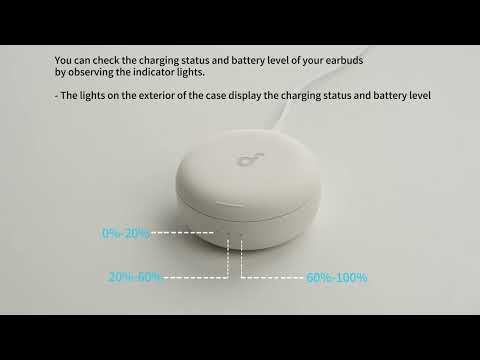
Play videoSleep A30's Indicator Lights
Sleep A30's Indicator Lights
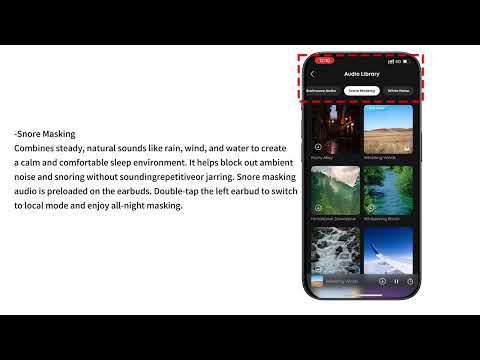
Play videoAudio Options for Sleep A30
Audio Options for Sleep A30
Play videoWhat are the two audio modes and how do I use them?
What are the two audio modes and how do I use them?
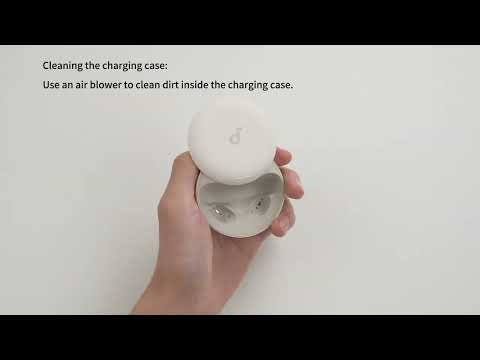
Play videoDeep Cleaning Your Earbuds
Deep Cleaning Your Earbuds
Play videoSetting Audio Timer
Setting Audio Timer
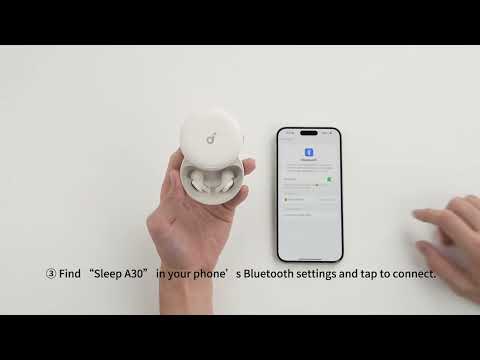
Play videoConnecting with Bluetooth
Connecting with Bluetooth
View More
Contact Us