What if TWS headphones can't charge with the wireless charging pad?
Please try the following troubleshooting steps to see if there are helpful:
- Make sure your wireless charging pad is Qi-certified.
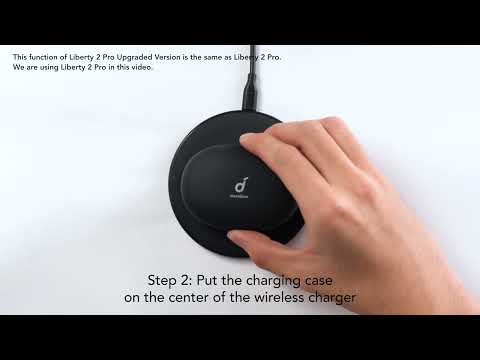
- The most effective wireless charging area is on the center of the bottom of the case. Make sure this area is aligned with the charging pad.

If you have additional questions, please contact us at Service@soundcore.com for further assistance. Make sure to mention that you have tried the steps in this FAQ so our agents do not ask you to repeat these steps.
Unresolved icon
53 undefined
Download icon
A3902 Liberty Air DOC
Download icon
A3902011 Liberty Air User Manual
Download icon
A3902012 Liberty Air X User Manual
Download icon
A3904 Spirit Dot 2 User Manual
Download icon
A3904 Spirit Dot 2 DOC
Download icon
A3904 Spirit Dot 2 Quick Start Guide
View More
Play videoHow to Clean Your Headphones
How to Clean Your Headphones
Play videoWhat to Do If My Computer Cannot Connect with soundcore earbuds or No Sound Is Coming from One or Both Earbuds
What to Do If My Computer Cannot Connect with soundcore earbuds or No Sound Is Coming from One or Both Earbuds
Play videoWhat to Do If Sound from One Earbud Is Lower than The Other
What to Do If Sound from One Earbud Is Lower than The Other
Play videoWhat to Do If My Phone Cannot Connect with soundcore Earbuds or No Sound Is Coming from One or Both Earbuds
What to Do If My Phone Cannot Connect with soundcore Earbuds or No Sound Is Coming from One or Both Earbuds
Play videoHow to Clean Your Headphones
How to Clean Your Headphones
Play videoWhat to Do If My Computer Cannot Connect with soundcore earbuds or No Sound Is Coming from One or Both Earbuds
What to Do If My Computer Cannot Connect with soundcore earbuds or No Sound Is Coming from One or Both Earbuds
View More
Contact Us