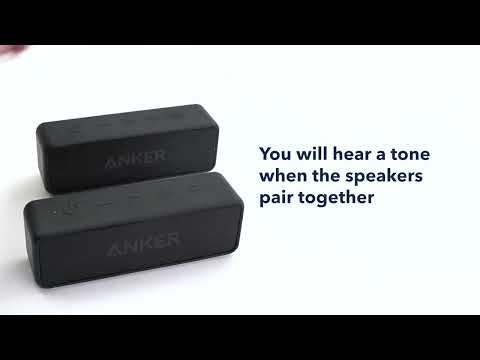
What Should I Do If There is a Cut-off Issue with My Soundcore 2 Speakers When They are in TWS Mode?

When two Soundcore 2 speakers are in TWS (true wireless stereo) mode, the Bluetooth signal might be affected by obstructions. Please do not place any electronic devices between these two speakers and make sure the distance is not greater than 5 meters / 16.4 feet.


If the cut-off issue still persists, please try these steps:


1. Reset the speaker by holding the Volume+ and Play/Pause buttons at the same time for 5s.

2. Re-pair these two speakers in TWS mode.


If you still have any concerns or issues regarding this cut-off issue, please contact Soundcore customer service and make sure to mention that you've tried the listed steps above for a quick and accurate solution.


Unresolved icon
35 undefined
Unlock Our New Easy-To-Use Warranty Service
273500 views477 likes/2025-04-08 16:02:12
soundcore parts and accessories
34335 views1 likes/2025-04-08 16:00:05
How to reset a soundcore speakers
25314 views8 likes/2025-04-08 16:00:34
How to Pair Two Soundcore 2 Speakers Together?
28976 views5 likes/2025-04-08 16:02:02
Soundcore Warranty Policy
60026 views10 likes/2022-10-13 11:05:11
soundcore speakers failed to connect with my devices
18914 views1 likes/2025-04-08 15:56:00
How to charge and power on soundcore speakers
16902 views4 likes/2025-04-08 15:56:00
What if the Speaker is Not Charging?
9044 views1 likes/2025-04-08 16:00:08
Bluetooth connected but no sound in soundcore speakers
9959 views1 likes/2025-04-08 15:55:59
Download icon
Mini دليل المستخدم (A3101)
Download icon
A3101_Soundcore_Mini_Manual
Download icon
Mini Uživatelská Příručka (A3101)
Download icon
Mini Brugervejledning (A3101)
Download icon
Mini Guía del Usuario (A3101)
Download icon
Mini User Guide (A3101)
View More
Play videoHow to pair two Soundcore 2 Speakers via True Wireless Stereo
How to pair two Soundcore 2 Speakers via True Wireless Stereo
Contact Us