To fix this issue, please try the steps below;
1. Turn on absolute volume in the developer options or select "the Bluetooth device volume to sync with the phone" in the Bluetooth settings.
2. Make sure the charging case has enough power, and the ear tips are not blocking the charging pins on the earbuds. Reset the earbuds using these steps:
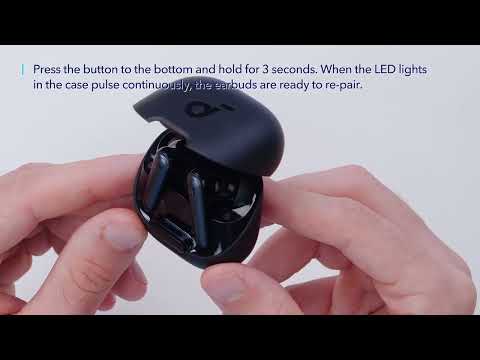
- Place the earbuds into the charging case and keep the case open.
- Press and hold the charging case button for 10 seconds until the LED indicators in the charging case flash white rapidly three times. This confirms that the reset is successful.
When resetting the earbuds, make sure the earbuds are well connected to the charging case, or it may cause the reset to fail. When you place the left and right earbuds in the charging case, there will be white LED indicators that confirm the earbuds are properly connected to the charging case.
If the indicators in the charging case don't light up, please check whether the charging case and earbuds are properly connected, have enough power, and clean the charging pins with a dry cloth.
3. Clear all the pairing records on your phone and re-pair your earbuds. Turn the volume down one notch on your phone. Then turn up the volume of both your phone and earbuds with the music/video to the maximum.
4. Use a Q-tip with a bit of rubbing alcohol to gently clean the metal mesh filter under the rubber ear tips.
If you have any more issues or your issue has not been resolved, please contact us for further assistance.