How do I experience audio tracks from Calm?

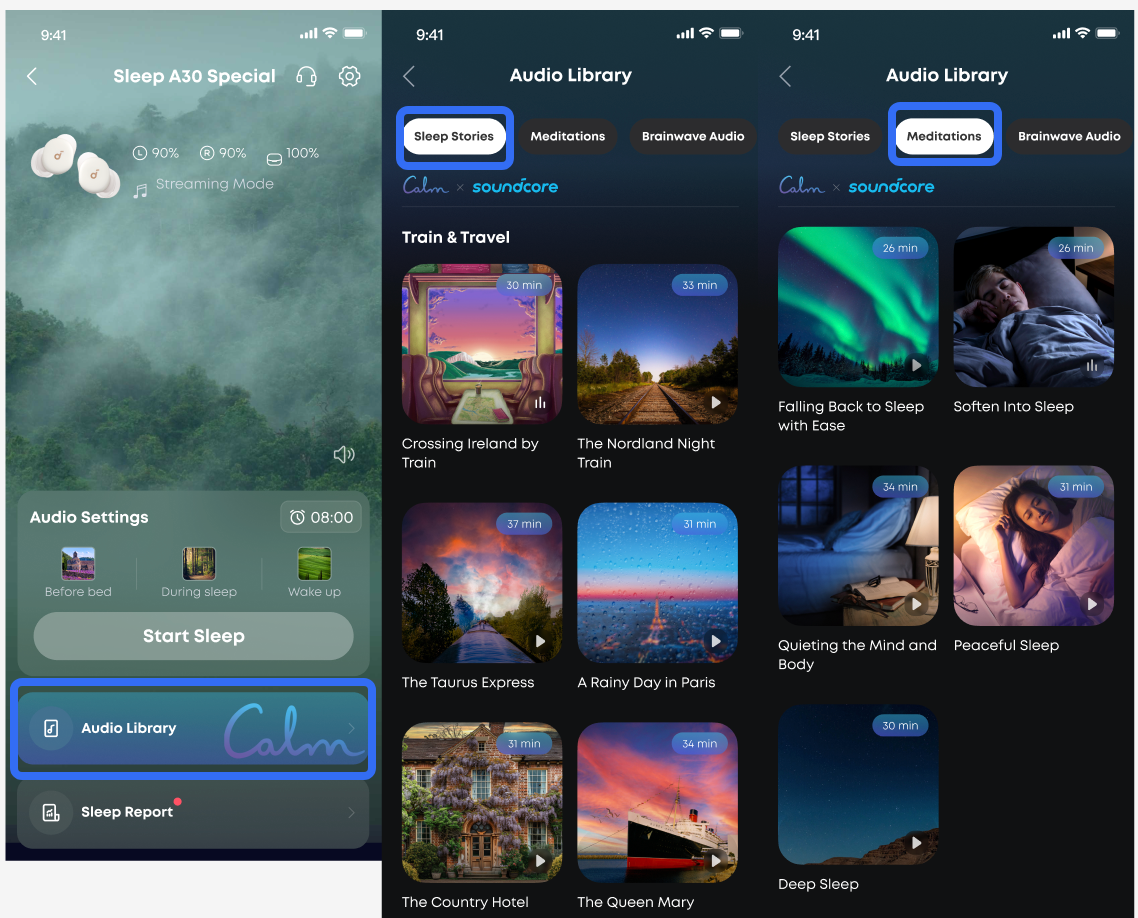
1. On the device page of the app, tap "Audio Library," then select your preferred sleep audio.

2. Here, you'll find our carefully curated selection of Sleep Stories, Meditations, Brainwave Audio, Snore Masking, and White Noise options.

3. 20 Sleep Stories and 5 Meditations from Calm, the world's leading mental health app:

3.1. Sleep Stories redirect anxious thoughts outward, helping you drift off effortlessly;

3.2. Guided meditations promote relaxation through breathing exercises and natural sounds;

3.3. Brainwave audio uses specific frequencies to prepare your mind for rest;

3.4. Snore masking technology blocks disruptive noises;

3.5. White noise employs constant ambient sounds to shield you from disturbances.
If you have any more issues or your issue has not been resolved, please contact us for further assistance.


Download icon
How do I experience audio tracks from Calm?
Unresolved icon
53 undefined
Download icon
【D1301】【soundcore Sleep A30】EU Declaration
Download icon
soundcore Sleep A30 取扱説明書 (D1301)
Download icon
soundcore Sleep A30 用户指南 (D1301)
Download icon
soundcore Sleep A30 User Guide (D1301)-EN
Download icon
soundcore Sleep A30 Przewodnik Użytkownika (D1301)
Download icon
soundcore Sleep A30 Guide de l'utilisateur (D1301)
View More
Play videoSleep A30's Indicator Lights
Sleep A30's Indicator Lights
Play videoAudio Options for Sleep A30
Audio Options for Sleep A30
Play videoWhat are the two audio modes and how do I use them?
What are the two audio modes and how do I use them?
Play videoDeep Cleaning Your Earbuds
Deep Cleaning Your Earbuds
Play videoSetting Audio Timer
Setting Audio Timer
Play videoConnecting with Bluetooth
Connecting with Bluetooth
View More
Contact Us